Loading
Form preview
  • US Legal Forms
  • Other Templates
  • More Forms
  • More Uncategorized Forms
  • 2004 Mn Individual Income Tax Instructions Form

Get 2004 Mn Individual Income Tax Instructions Form

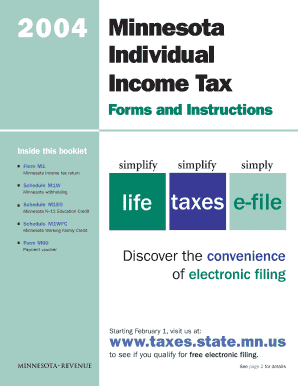
You may qualify to e-file for FREE! Last year, more than 50 percent of Minnesotans filed for free. Log on to www.taxes.state.mn.us to see if you qualify. simplify your life. What s new for 2004? Did you know? Job Opportunity Building Zone subtractions and jobs credit Information for your federal return Legislation enacted in 2003 created the Job Opportunity Building Zones (JOBZ) program, which provides tax exemptions and a refundable jobs credit to qualified businesses operating in a JO.

How it works

  1. Open form

    Open form follow the instructions

  2. Easily sign form

    Easily sign the form with your finger

  3. Share form

    Send filled & signed form or save

How to fill out the 2004 Mn Individual Income Tax Instructions Form online

Filling out your 2004 Minnesota Individual Income Tax Instructions Form online can simplify the tax preparation process and help ensure accuracy. This guide provides step-by-step instructions tailored for users at all experience levels.

Follow the steps to complete your Minnesota tax form with ease.

  1. Click the ‘Get Form’ button to obtain the form and open it in the editor.
  2. Complete the name and address section with your legal name using capital letters. Ensure accuracy to avoid any processing delays.
  3. Select your filing status from the provided options. Make sure you check the correct box that corresponds to your situation.
  4. Enter your Federal wages, salaries, tips, etc., on the designated line as reflected on your Federal tax return.
  5. Combine your taxable IRA distributions and pensions as listed on your Federal return and enter the total on the appropriate line.
  6. Document any unemployment compensation you've received in the specified field.
  7. Complete any additional lines for income sources, including rental income and dividends, ensuring all figures match your documentation.
  8. Follow the instructions for claiming deductions and credits, including documentation for your K-12 education expenses, if applicable.
  9. Review the calculations, particularly lines detailing your State income tax addition, other additions to income, and any credits you anticipate.
  10. Finalize by providing the required signatures. If you are married filing jointly, both partners need to sign the form.
  11. Select your refund or payment options. You can choose direct deposit for a quicker refund. Make sure to fill in the routing and account numbers correctly.
  12. Save your changes, download a copy for your records, and print the form as needed. You may also share the completed form if required.

Start filling out your Minnesota income tax form online today for a streamlined experience!

Get form

Experience a faster way to fill out and sign forms on the web. Access the most extensive library of templates available.
Get form

Related content

Search Page / mn.gov // Minnesota's State Portal
Results 1 - 10 of 175 — Minnesota Individual Income Tax Forms and Instructions > Form M1...
Learn more
Form 941 (Rev. January 2004) - Internal Revenue...
Form 941 (Rev. 1-2004). Employer's Quarterly Federal Tax Return. 941. Form. (Rev. January...
Learn more
2004 Instructions For Form 1040 (ALL) P 72 I1040
1040 Label Department of the Treasury—Internal Revenue Service U.S. Individual Income...
Learn more

Related links form

Buy Out Agreement Template Car Hire Agreement Template Car Joint Ownership Agreement Template Business Rent Agreement Template

Questions & Answers

Get answers to your most pressing questions about US Legal Forms API.

Contact support

For printed income tax forms, including the 2004 MN Individual Income Tax Instructions Form, your best bet is to check the Minnesota Department of Revenue's website. They provide a comprehensive list of downloadable and printable forms. Alternatively, local tax service offices are another option for physical copies.

You can pick up a variety of tax forms and instructions, such as the 2004 MN Individual Income Tax Instructions Form, at state revenue offices and select community centers. You may also find these documents at library branches and through dedicated tax help organizations.

To pick up Minnesota tax forms, visit your local Minnesota Department of Revenue office or approved tax assistance providers. They often have copies of the 2004 MN Individual Income Tax Instructions Form on hand, ensuring you get the help you need in person.

You can get tax forms and instructions, including the 2004 MN Individual Income Tax Instructions Form, at the Minnesota Department of Revenue website. The site is user-friendly and offers a complete array of current and past tax documents. Furthermore, local tax professionals may also have these materials available.

While the post office may have a limited selection of tax forms, it does not typically stock specific state forms, including the 2004 MN Individual Income Tax Instructions Form. For the most up-to-date and complete options, it's best to visit the Department of Revenue's website or local offices.

To retrieve your 2004 tax return, you should request a copy through the Minnesota Department of Revenue. They can provide you with the necessary forms, including the 2004 MN Individual Income Tax Instructions Form, to help you complete the request. Make sure to have identification and any pertinent details ready.

The post office typically does not carry tax forms like the 2004 MN Individual Income Tax Instructions Form. However, you might find some basic forms there. For more specific needs, consider visiting state revenue offices or accessing forms online.

You can conveniently obtain Minnesota income tax forms online at the official Minnesota Department of Revenue website. They provide the 2004 MN Individual Income Tax Instructions Form and all necessary documents for previous years. Additionally, local libraries and tax assistance centers often have printed versions available.

Common Minnesota tax mistakes often include neglecting to report all income or miscalculating deductions, which can lead to filing errors. Many individuals also forget about deadlines, resulting in penalties or unintentional late fees. To minimize the risk of such issues, it’s important to refer to the 2004 Mn Individual Income Tax Instructions Form. Using resources available through uslegalforms can also help you navigate Minnesota’s tax landscape effectively.

Choosing to claim 1 or 0 on your taxes can significantly affect your withholding and ultimately your tax refund. Claiming 0 means more taxes will be taken out of your paycheck, potentially leading to a larger refund when you file. In contrast, claiming 1 may result in less withholding, which could mean a smaller refund or even owing taxes at the end of the year. Consulting the 2004 Mn Individual Income Tax Instructions Form can provide you with insights tailored to your situation.

Get This Form Now!

Use professional pre-built templates to fill in and sign documents online faster. Get access to thousands of forms.
Get form
If you believe that this page should be taken down, please follow our DMCA take down processhere.
Get 2004 Mn Individual Income Tax Instructions Form
Get form
  • Adoption
  • Bankruptcy
  • Contractors
  • Divorce
  • Home Sales
  • Employment
  • Identity Theft
  • Incorporation
  • Landlord Tenant
  • Living Trust
  • Name Change
  • Personal Planning
  • Small Business
  • Wills & Estates
  • Packages A-Z
  • Affidavits
  • Bankruptcy
  • Bill of Sale
  • Corporate - LLC
  • Divorce
  • Employment
  • Identity Theft
  • Internet Technology
  • Landlord Tenant
  • Living Wills
  • Name Change
  • Power of Attorney
  • Real Estate
  • Small Estates
  • Wills
  • All Forms
  • Forms A-Z
  • Other Templates
  • Legal Hub
  • About Us
  • Help Portal
  • Legal Resources
  • Blog
  • Affiliates
  • Contact Us
  • Delete My Account
  • Site Map
  • Industries
  • Forms in Spanish
  • Localized Forms
  • State-specific Forms
  • Forms Kit
  • Real Estate Handbook
  • All Guides
  • Notarize
  • Incorporation services
  • For Consumers
  • For Small Business
  • For Attorneys
  • USLegal
  • FormsPass
  • pdfFiller
  • signNow
  • altaFlow
  • DocHub
  • Instapage
Form Packages
  • Adoption
  • Bankruptcy
  • Contractors
  • Divorce
  • Home Sales
  • Employment
  • Identity Theft
  • Incorporation
  • Landlord Tenant
  • Living Trust
  • Name Change
  • Personal Planning
  • Small Business
  • Wills & Estates
  • Packages A-Z
Form Categories
  • Affidavits
  • Bankruptcy
  • Bill of Sale
  • Corporate - LLC
  • Divorce
  • Employment
  • Identity Theft
  • Internet Technology
  • Landlord Tenant
  • Living Wills
  • Name Change
  • Power of Attorney
  • Real Estate
  • Small Estates
  • Wills
  • All Forms
  • Forms A-Z
  • Other Templates
Customer Service
  • Legal Hub
  • About Us
  • Help Portal
  • Legal Resources
  • Blog
  • Affiliates
  • Contact Us
  • Delete My Account
  • Site Map
  • Industries
  • Forms in Spanish
  • Localized Forms
  • State-specific Forms
  • Forms Kit
Legal Guides
  • Real Estate Handbook
  • All Guides
Prepared for you
  • Notarize
  • Incorporation services
Our Customers
  • For Consumers
  • For Small Business
  • For Attorneys
Our Sites
  • USLegal
  • FormsPass
  • pdfFiller
  • signNow
  • altaFlow
  • DocHub
  • Instapage
Social Media
Call us now toll free:
+1 833 426 79 33
As seen in:
© Copyright 1999-2026 airSlate Legal Forms, Inc. 17 Station Street, Ste. 203, Brookline, MA 02445
  • Your Privacy Choices
  • Terms of Service
  • Privacy Notice
  • Content Takedown Policy
  • Bug Bounty Program