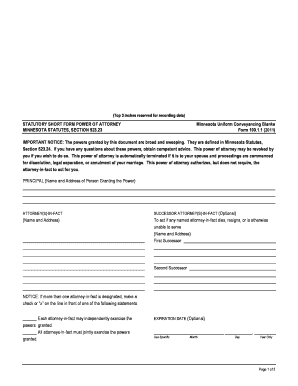
Get Mn Statutes 52323 Form
How it works
-

Open form follow the instructions
-

Easily sign the form with your finger
-

Send filled & signed form or save
How to fill out the Mn Statutes 52323 Form online
Filling out the Mn Statutes 52323 Form online is a straightforward process that enables users to grant power of attorney efficiently. This guide provides clear, step-by-step instructions to assist you in completing the form accurately and confidently.
Follow the steps to fill out the Mn Statutes 52323 Form online:
- Click ‘Get Form’ button to obtain the form and open it in the editor.
- Enter your full name and address in the 'Principal' section. This identifies the person granting the power of attorney.
- In the 'Attorney(s)-in-Fact' section, list the name and address of each person authorized to act on your behalf. Ensure you have accurate contact details.
- If applicable, include information for 'Successor Attorney(s)-in-Fact.' This optional section allows you to name individuals who will act if the primary attorney-in-fact is unable to serve.
- Indicate whether each attorney-in-fact can independently exercise their powers or if they must act jointly. Make a check or ‘x’ next to your choice.
- If desired, specify an expiration date for the power of attorney and enter it in the specified month, day, and year format.
- Select the powers you wish to grant to your attorney(s)-in-fact by checking or marking the appropriate lines (A through M) in the specified section. If you wish to limit a power, specify the limitation, including legal descriptions where necessary.
- Clearly indicate your preferences regarding whether the power of attorney remains effective if you become incapacitated or incompetent by selecting the appropriate option.
- Choose whether the attorney-in-fact is authorized to transfer property to themselves by marking your preferred choice.
- Decide if the attorney-in-fact needs to provide an accounting. If so, indicate how frequently you require accountings.
- Sign the document in the 'In Witness Whereof' section, confirming your intent to grant these powers. Include the date of your signature.
- Complete the acknowledgment section, which includes the state, county, date of acknowledgment, principal's name, and the notarial officer's signature, if required.
- Once all sections are filled out, save your changes, download the completed form, print it for your records, or share it as needed.
Start completing your documents online today for a smoother, more efficient process.
Yes, Minnesota does have a statutory power of attorney form, specifically the Mn Statutes 52323 Form, which is designed for ease of use. This form includes essential guidelines and follows state requirements, making it a reliable choice for residents. By utilizing this form, individuals can ensure that their claims and decisions are well-documented and legally sound. You can find templates and support through uslegalforms to make the process seamless.