Loading
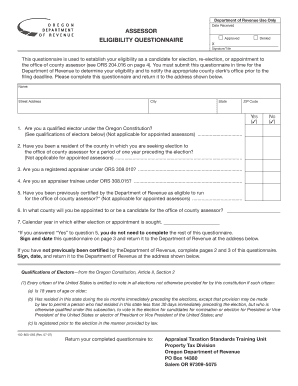
Get Assessor Eligibility Questionnaire - Oregon
How it works
-

Open form follow the instructions
-

Easily sign the form with your finger
-

Send filled & signed form or save
How to fill out the Assessor Eligibility Questionnaire - Oregon online
Filling out the Assessor Eligibility Questionnaire is a crucial step for individuals seeking election, re-election, or appointment to the office of county assessor in Oregon. This guide will provide you with clear, step-by-step instructions to help you complete the questionnaire accurately and efficiently.
Follow the steps to successfully complete your questionnaire.
- Press the ‘Get Form’ button to access the Assessor Eligibility Questionnaire. This will open the form in an editable format.
- Begin by providing your personal information in the designated fields, including your name, street address, city, state, and ZIP code. Ensure that all information is current and accurate.
- Proceed to the qualification questions. Answer each question by selecting 'Yes' or 'No' as appropriate. Note the guidance regarding applicability for appointed assessors, particularly for questions related to being a qualified elector and years of residency.
- If you answer 'Yes' to question 5 regarding previous certification, you will be instructed to sign and date the form on page 3, and then return it to the Department of Revenue.
- If you have not been certified previously, continue to complete the necessary sections. In Part I, provide details concerning your employment in a county assessor's office if applicable.
- If you answered 'No' to having two years of employment, complete Part II, detailing your office and accounting experience, including descriptions of accounting and management duties.
- If you have more employment history to document, use the subsequent pages for additional entries as needed.
- Conclude by signing and dating the questionnaire on page 3. Double-check all answers and information for accuracy before submission.
- Finally, return your completed questionnaire to the Department of Revenue at the specified address provided in the instructions.
Start filling out your Assessor Eligibility Questionnaire online today to ensure your eligibility for the upcoming election.
Footers are located in the margin area at the bottom of a page. Headers and footers generally contain document information, such as the file name, author, date created, page numbering and the like. This information is repeated on each page and thus enables the reader to easily navigate the document.