Loading
Form preview
  • US Legal Forms
  • Form Library
  • More Forms
  • More Uncategorized Forms
  • Cp 347

Get Cp 347

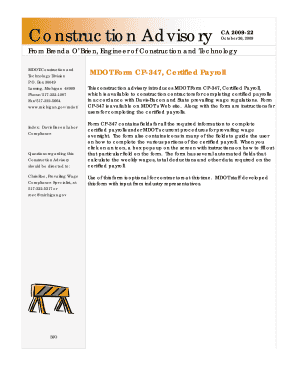
Form CP-347 is available on MDOT s Web site. Along with the form are instructions for users for completing the certified payrolls. Form CP-347 contains fields for all the required information to complete certified payrolls under MDOT s current procedures for prevailing wage oversight. Construction Advisory CA 2009-22 October 26 2009 From Brenda O Brien Engineer of Construction and Technology MDOT-Construction and Technology Division MDOT Form CP-.

How it works

  1. Open form

    Open form follow the instructions

  2. Easily sign form

    Easily sign the form with your finger

  3. Share form

    Send filled & signed form or save

How to fill out the Cp 347 online

The MDOT Form CP-347, Certified Payroll, is a vital document for construction contractors to ensure compliance with Davis-Bacon and state prevailing wage regulations. This guide provides clear, step-by-step instructions for completing the form online, making the process manageable for all users.

Follow the steps to complete the Cp 347 online.

  1. Click the ‘Get Form’ button to obtain the form and open it in the editor.
  2. Begin by entering your basic information in the designated fields. This includes the project name, project number, and contractor information. Ensure accuracy to avoid processing delays.
  3. Proceed to fill out the employee information section. Each employee working on the project must be listed, along with details such as their hourly rate, trade classification, and the hours worked during the payroll period.
  4. Utilize the automated fields that calculate key metrics such as weekly wages and total deductions. Review these calculations carefully to ensure they reflect accurate amounts based on the information provided.
  5. Refer to the icons within the form. Clicking on these icons will provide additional instructions specific to each section, assisting you in completing the form correctly.
  6. Once all information is successfully entered, review the entire form for completeness and accuracy. Make any necessary adjustments before final submission.
  7. After verifying that all data is correct, you can save your changes, download a copy for records, print the document, or share it as needed.

Start completing your certified payroll documents online today!

Get form

Experience a faster way to fill out and sign forms on the web. Access the most extensive library of templates available.
Get form

Related content

Instructions For Completing Payroll Form, WH-347 |...
General: Form WH-347has been made available for the convenience of contractors and...
Learn more
MDOT Prevailing Wage Compliance - Michigan LTAP
40. CP-347 example “icons”. Page 37. 41. CP-347 Instructions. Page 38. 42. Certified...
Learn more
4500 - Nikon
can be found in electronic format on ... form, by any means, without Nikon's ... 347. 488...
Learn more

Related links form

APPLICATION FOR RIGHT-OF-WAY ABANDONMENT REQUIREMENTS Minutes Bid 113-10722 REQUEST FOR REPLACEMENT CHECK

Questions & Answers

Get answers to your most pressing questions about US Legal Forms API.

Contact support

To complete a certified payroll report, first, gather all relevant employee data, including hours worked and classification of labor. Next, ensure your report aligns with the CP 347 format required by state and federal agencies. You can enhance your reporting process by using a tool like US Legal Forms, which simplifies data entry and ensures compliance with legal requirements. Finally, submit the report to the appropriate government agency to maintain compliance.

For certified payroll, the primary form used is the WH-347, commonly known as the Cp 347. Depending on your specific project requirements, other forms may also be applicable, including the Payroll Records form or state-specific variations. It's essential to check local and state guidelines to ensure compliance. Utilizing platforms like USLegalForms can help you find the correct forms and understand how to use them effectively.

You should use the optional form 347 in situations where a contractor requires a simplified method for reporting wages for smaller projects. This version allows for more flexibility in terms of documenting payroll information. However, it is often best suited for projects that do not require the extensive documentation of larger government contracts. Knowing when to choose the optional Cp 347 can help streamline your reporting process.

The standard form 347, also referred to as WH-347, is a specific document required for reporting wages for workers on federally funded projects. This form captures essential payroll details to maintain compliance with labor regulations. Contractors must ensure their submissions are accurate and timely. Familiarizing yourself with the Cp 347 form can significantly enhance your compliance efforts.

The 347 form, officially known as the WH-347, is used to report a contractor’s certified payroll records. It documents the wages and hours worked by employees on public works projects. This form ensures compliance with labor laws and helps safeguard workers' rights. Understanding the Cp 347 form is crucial for any contractor involved in government-funded projects.

To complete the WH347, you need to provide accurate information about your employment details, wages, and deductions. This form, related to the Cp 347, has specific sections that require attention, such as the employee's personal data and hours worked. It is essential to follow the instructions carefully and ensure that all sections are filled out correctly. Utilizing platforms like US Legal Forms can streamline this process, ensuring compliance with all legal requirements.

How do I create a certified payroll report in QuickBooks? Select the Reports menu. Select Employees & Payroll. Select More Payroll Reports in Excel. Select Certified Payroll Report.

Step 5: Create a certified payroll report Sign into QuickBooks as the Primary Administrator. Make sure you're in single-user mode. Go to Reports, then select Employees & Payroll. Select More Payroll Reports in Excel, then Certified Payroll Report.

Certified Payroll is a company's accounting of everything paid out under a contract performed for a government client, while Wrap-Up Payroll is what a company has to report to their Workers Compensation Carrier for the state in which they are doing the work.

A WH-347 is a document used for payroll purposes by the Department of Labor. This form is generally filled out for contractors who wish to submit their certified weekly hours and the amount they are owed. This form provides space for multiple employees to be listed under a contractor.

Get This Form Now!

Use professional pre-built templates to fill in and sign documents online faster. Get access to thousands of forms.
Get form
If you believe that this page should be taken down, please follow our DMCA take down processhere.

Industry-leading security and compliance

US Legal Forms protects your data by complying with industry-specific security standards.
  • In businnes since 1997
    25+ years providing professional legal documents.
  • Accredited business
    Guarantees that a business meets BBB accreditation standards in the US and Canada.
  • Secured by Braintree
    Validated Level 1 PCI DSS compliant payment gateway that accepts most major credit and debit card brands from across the globe.
Get Cp 347
Get form
  • Adoption
  • Bankruptcy
  • Contractors
  • Divorce
  • Home Sales
  • Employment
  • Identity Theft
  • Incorporation
  • Landlord Tenant
  • Living Trust
  • Name Change
  • Personal Planning
  • Small Business
  • Wills & Estates
  • Packages A-Z
  • Affidavits
  • Bankruptcy
  • Bill of Sale
  • Corporate - LLC
  • Divorce
  • Employment
  • Identity Theft
  • Internet Technology
  • Landlord Tenant
  • Living Wills
  • Name Change
  • Power of Attorney
  • Real Estate
  • Small Estates
  • Wills
  • All Forms
  • Forms A-Z
  • Form Library
  • Legal Hub
  • About Us
  • Help Portal
  • Legal Resources
  • Blog
  • Affiliates
  • Contact Us
  • Delete My Account
  • Site Map
  • Industries
  • Forms in Spanish
  • Localized Forms
  • State-specific Forms
  • Forms Kit
  • Real Estate Handbook
  • All Guides
  • Notarize
  • Incorporation services
  • For Consumers
  • For Small Business
  • For Attorneys
  • USLegal
  • FormsPass
  • pdfFiller
  • signNow
  • altaFlow
  • DocHub
  • Instapage
Form Packages
  • Adoption
  • Bankruptcy
  • Contractors
  • Divorce
  • Home Sales
  • Employment
  • Identity Theft
  • Incorporation
  • Landlord Tenant
  • Living Trust
  • Name Change
  • Personal Planning
  • Small Business
  • Wills & Estates
  • Packages A-Z
Form Categories
  • Affidavits
  • Bankruptcy
  • Bill of Sale
  • Corporate - LLC
  • Divorce
  • Employment
  • Identity Theft
  • Internet Technology
  • Landlord Tenant
  • Living Wills
  • Name Change
  • Power of Attorney
  • Real Estate
  • Small Estates
  • Wills
  • All Forms
  • Forms A-Z
  • Form Library
Customer Service
  • Legal Hub
  • About Us
  • Help Portal
  • Legal Resources
  • Blog
  • Affiliates
  • Contact Us
  • Delete My Account
  • Site Map
  • Industries
  • Forms in Spanish
  • Localized Forms
  • State-specific Forms
  • Forms Kit
Legal Guides
  • Real Estate Handbook
  • All Guides
Prepared for you
  • Notarize
  • Incorporation services
Our Customers
  • For Consumers
  • For Small Business
  • For Attorneys
Our Sites
  • USLegal
  • FormsPass
  • pdfFiller
  • signNow
  • altaFlow
  • DocHub
  • Instapage
Social Media
Call us now toll free:
+1 833 426 79 33
As seen in:
© Copyright 1999-2026 airSlate Legal Forms, Inc. 3720 Flowood Dr, Flowood, Mississippi 39232
  • Your Privacy Choices
  • Terms of Service
  • Privacy Notice
  • Content Takedown Policy
  • Bug Bounty Program