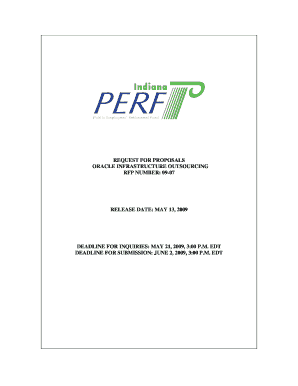
Get Request For Proposals Oracle Infrastructure ... - Test In
How it works
-

Open form follow the instructions
-

Easily sign the form with your finger
-

Send filled & signed form or save
How to fill out the REQUEST FOR PROPOSALS ORACLE INFRASTRUCTURE ... - Test In online
In this guide, you will learn how to effectively fill out the REQUEST FOR PROPOSALS ORACLE INFRASTRUCTURE ... - Test In form online. The steps provided are designed to make the process straightforward and accessible, regardless of your prior experience with such documents.
Follow the steps to fill out the form correctly.
- Click the ‘Get Form’ button to acquire the document and open it within your online editing platform.
- Begin with Section One: General Information. Familiarize yourself with the introduction and understand the definitions and abbreviations used within the RFP.
- Provide your responses in the Due Date and Format for Proposals section, ensuring your submissions adhere to the specified guidelines mentioned.
- For the Modification or Withdrawal of Offers section, clearly indicate if any aspects of your proposal are subject to change or withdrawal prior to submission.
- In the Joint Bids / Subcontracting section, mention any potential subcontractors you intend to involve in this project, including their qualifications.
- Ensure all confidentiality clauses are properly addressed, providing necessary information about any confidential materials related to your proposal.
- Complete the sections detailing your pricing and the length of the contract. Pay close attention to any specific requirements regarding financial submissions.
- Finalize your Business Proposal by outlining your ability to meet the required Scope of Services. Include all documented requirements as per Section Four.
- After completing all sections, review your document for accuracy and completeness. Save your changes, and be prepared to download or print the final version.
- Submit your finished proposal by the specified submission deadline to ensure consideration.
Start filling out your proposal online today to ensure timely submission!
To submit an enhancement request for your Oracle cloud application, navigateto Idea Labs on Cloud Customer Connect. Begin by logging in to your account and locating the option to create a new enhancement request. Provide detailed information about your suggestion, focusing on how it improves the user experience or functionality of the application. Engaging with the Request for Proposals Oracle Infrastructure ... - Test In ensures that your ideas help shape future features beneficial to the entire community.
Industry-leading security and compliance
-
In businnes since 199725+ years providing professional legal documents.
-
Accredited businessGuarantees that a business meets BBB accreditation standards in the US and Canada.
-
Secured by BraintreeValidated Level 1 PCI DSS compliant payment gateway that accepts most major credit and debit card brands from across the globe.