Loading
Get Blm Form 3150-5 - Fs Usda
How it works
-

Open form follow the instructions
-

Easily sign the form with your finger
-

Send filled & signed form or save
How to fill out the BLM Form 3150-5 - Fs Usda online
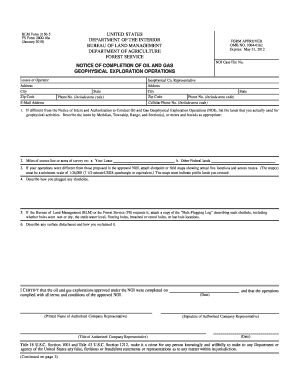
Filling out the BLM Form 3150-5 is a crucial step for notifying authorities about the completion of oil and gas geophysical exploration operations. This guide will provide you with a clear, step-by-step process to assist you in completing the form online, ensuring that you meet all necessary requirements.
Follow the steps to successfully complete the BLM Form 3150-5 online.
- Click ‘Get Form’ button to access the form and open it in the designated editing interface.
- Enter your lessee or operator information, including your address, city, state, zip code, and phone number with area code.
- Provide your email address for further communications.
- Fill in the geophysical company representative’s details in the corresponding fields.
- In section 1, specify the lands used for geophysical activities, detailing them by Meridian, Township, Range, and Section(s), or using metes and bounds as needed.
- For section 2, indicate the miles of source line or acres of survey on your lease and any other federal lands.
- If your operations differed from what was proposed in the approved Notice of Intent, attach necessary shotpoint or field maps that show actual line locations and access routes.
- Describe how you plugged any shotholes in section 4.
- If requested by the Bureau of Land Management (BLM) or Forest Service (FS), attach a Hole Plugging Log detailing each shothole.
- Outline any surface disturbance caused by the operations and describe the reclamation efforts taken.
- Finally, certify the completion of the operations by signing and dating the form, ensuring your printed name and title are provided.
- Once all fields are completed, users can save changes, download, print, or share the form as necessary.
Complete your BLM Form 3150-5 online today to ensure compliance and efficiency.
Clarify what the warranty does and does not cover. Be specific when writing out exactly what the warranty does and does not cover. For example, if your product malfunctions, write out whether you will pay for new parts, as well as labor. Do customers have to go to you for repairs, or can they use outside vendors?