Loading
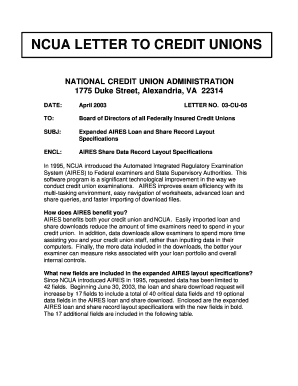
Get Ncua Aires File Layout
How it works
-

Open form follow the instructions
-

Easily sign the form with your finger
-

Send filled & signed form or save
How to fill out the Ncua Aires File Layout online
This guide provides you with a clear and supportive approach to completing the Ncua Aires File Layout online. By following the detailed steps outlined below, you will be able to successfully submit the necessary information for your credit union's loan and share data.
Follow the steps to complete the Ncua Aires File Layout online effectively.
- Click the ‘Get Form’ button to obtain the Ncua Aires File Layout and open it for editing.
- Begin filling out Section 1 by locating the record code. Ensure to enter 'S' for share records and 'L' for loan records as required.
- Fill in the critical fields for your records. For example, provide the unique account number in the designated field ensuring it includes any necessary prefix or suffix for identification.
- Input the member's name in the specific format: 'Last Name, First Name, Middle Initial'. Pay attention to spacing and punctuation.
- Enter the mailing address accurately, followed by the city, state, and zip code, ensuring correct formatting as required.
- Proceed to fill in the share or loan details such as the share balance, loan type code, payment amount, and any applicable dates in the specified MM/DD/CCYY format.
- Review all entered information for completeness and accuracy, ensuring numerical fields are signed appropriately.
- After finalizing your entries, opt to save your changes, download, print, or share the completed Ncua Aires File Layout as needed.
Start filling out your Ncua Aires File Layout online today for seamless processing.
The NCUA and FDIC serve similar purposes in safeguarding deposits but operate in different sectors. The NCUA protects deposits in credit unions, while the FDIC oversees banks. Both organizations offer insurance up to $250,000, providing peace of mind to their members. Understanding the Ncua Aires File Layout can enhance your credit union's ability to comply with NCUA standards.
Industry-leading security and compliance
US Legal Forms protects your data by complying with industry-specific security standards.
-
In businnes since 199725+ years providing professional legal documents.
-
Accredited businessGuarantees that a business meets BBB accreditation standards in the US and Canada.
-
Secured by BraintreeValidated Level 1 PCI DSS compliant payment gateway that accepts most major credit and debit card brands from across the globe.