Loading
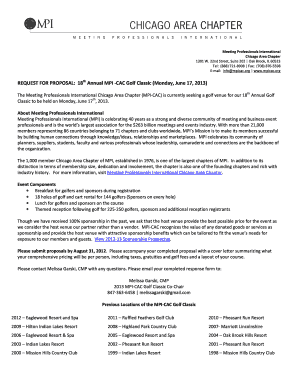
Get Rfd For Golf 2013 With Response Form (2) - Meeting Professionals ...
How it works
-

Open form follow the instructions
-

Easily sign the form with your finger
-

Send filled & signed form or save
How to fill out the RFD For Golf 2013 With Response Form (2) - Meeting Professionals online
This guide provides a professional overview for users on how to effectively complete the RFD For Golf 2013 With Response Form (2) - Meeting Professionals online. By following these structured steps, individuals will navigate the form with clarity and confidence.
Follow the steps to fill out the response form with ease.
- Press the ‘Get Form’ button to access the document and open it in your preferred editor.
- Begin by providing the location name and address in the designated fields. This information should clearly identify the venue being proposed.
- In the 'Contact Name/Number' section, input the primary contact person’s name along with their phone number for further communication regarding the proposal.
- List the available dates for the event, including the preferred shotgun start times for each option. Make sure to provide multiple dates for flexibility.
- Indicate whether the venue will allow exclusive use of the 18 holes for the day. This is crucial as sponsors may need setup time.
- Fill in the number of golf carts available and their associated costs. This should include any relevant details like GPS systems.
- For each food and beverage option listed, provide the corresponding costs per person, including taxes and gratuities. Ensure to attach the relevant menus to support the pricing.
- Respond to whether full in-kind sponsorship is available. This option may influence the pricing structure for attendees.
- Conclude by confirming the availability of additional amenities such as the driving range, putting green, and valet parking, while noting their costs and conditions.
- Once all fields are completed, save the changes and choose to download, print, or share the form as needed.
Complete your document and submit your proposal online to participate in this exciting event.
Your previous employer must send your W-2 by January 31 each year. This deadline ensures you have enough time to prepare your taxes by the filing deadline. If you do not receive your W-2 by this date, follow up with your employer and consider reporting it to the IRS if necessary.
Industry-leading security and compliance
US Legal Forms protects your data by complying with industry-specific security standards.
-
In businnes since 199725+ years providing professional legal documents.
-
Accredited businessGuarantees that a business meets BBB accreditation standards in the US and Canada.
-
Secured by BraintreeValidated Level 1 PCI DSS compliant payment gateway that accepts most major credit and debit card brands from across the globe.