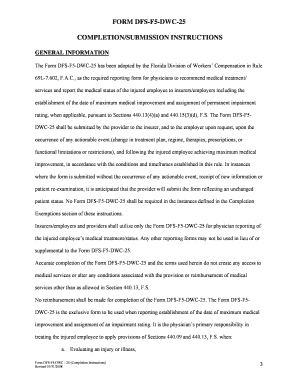
Get Blank Dwc 25 Form Florida
How it works
-

Open form follow the instructions
-

Easily sign the form with your finger
-

Send filled & signed form or save
How to fill out the Blank Dwc 25 Form Florida online
The Blank Dwc 25 Form Florida, also known as Form DFS-F5-DWC-25, is a vital document that physicians must complete to recommend medical treatment and report the medical status of injured employees. This guide provides you with a step-by-step approach to filling out the form online, ensuring that you meet all necessary requirements.
Follow the steps to accurately complete the form.
- Click 'Get Form' button to obtain the form and open it in your online editor.
- Begin filling out the demographic information section. Make sure to enter the insurance carrier name in Item 1, the date applicable in Item 2, the injured employee's name in Item 3, and their date of birth in Item 4. Ensure all fields are legibly completed as they are essential for accurate processing.
- Proceed to Section I - Clinical Assessment. Check the appropriate boxes in Items 9 through 13 to indicate findings related to the injury or illness. It is crucial to provide descriptive medical findings that correlate with the patient's complaints.
- Move to Section II - Patient Classification Level. Here, check at least one box in Items 14 through 17 that appropriately classifies the patient based on the complexity and services required for their treatment.
- In Section III - Management/Treatment Plan, specify the treatment recommendations. Ensure at least one box is checked in Item 20 and complete any necessary written entries indicating diagnostic tests, pharmaceuticals, or referrals as applicable.
- Advance to Section IV - Determination of Functional Limitations and Restrictions. Carefully indicate the patient's functional capabilities by checking the relevant boxes in Items 21 through 23, noting any work limitations or activities that should be modified.
- Complete Section V - Maximum Medical Improvement/Permanent Impairment Rating. Determine and record the MMI date and whether future medical care will be needed in Items 24 and 25. Ensure to document the percentage of impairment along with the body part affected.
- Finalize the form by completing Section VI - Follow Up with the scheduled appointment details, if applicable. Lastly, sign and date the Attestation Statement in Section VII, ensuring all required fields are filled accurately.
- Once you have completed all sections, save your changes, and consider downloading or printing the form for your records. Ensure to share it with the insurer and the employer as required.
Start completing your Blank Dwc 25 Form Florida online today to ensure timely and accurate reporting of medical status.
To file for a workers' compensation exemption in Florida, you must complete the necessary paperwork detailing your business structure and reasons for the exemption. You can obtain the Blank Dwc 25 Form Florida on the Florida Division of Workers' Compensation website. Once filled, submit the form to your local office or through the online portal. It's essential to ensure all required information is accurate to avoid delays in processing.
Industry-leading security and compliance
-
In businnes since 199725+ years providing professional legal documents.
-
Accredited businessGuarantees that a business meets BBB accreditation standards in the US and Canada.
-
Secured by BraintreeValidated Level 1 PCI DSS compliant payment gateway that accepts most major credit and debit card brands from across the globe.