Get Rp 5217 Instructions
How it works
-

Open form follow the instructions
-

Easily sign the form with your finger
-

Send filled & signed form or save
How to fill out the Rp 5217 Instructions online
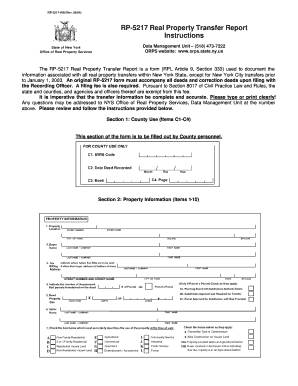
The Rp 5217 Real Property Transfer Report is a vital document for recording real property transfers in New York State. This guide offers a clear, step-by-step approach to help users accurately complete the form online, ensuring all necessary information is captured correctly.
Follow the steps to complete the Rp 5217 Instructions accurately.
- Press the ‘Get Form’ button to obtain the form and open it in the editor.
- Review Section 1 labeled ‘County Use’ and leave it blank, as this section is designated for County personnel.
- In Section 2, ‘Property Information’ (Items 1-10), provide details about the property being transferred:
- In Section 3, ‘Sale Information’ (Items 11-15), enter details such as the sale contract date, date of sale, full sale price, and any personal property included. Review conditions of sale and check all that apply.
- In Section 4, ‘Assessment Information’ (Items 16-20), enter values from the latest assessment roll or tax bill regarding the assessed value, property class code, school district, and tax map identifier for the parcel(s).
- In Section 5, ‘Certification,’ obtain the required signatures.
- After completing all sections, ensure that all information is accurate and clear. Save changes, then download, print, or share the form as needed.
Fill out your Rp 5217 form online today to ensure smooth property transfer.
A quitclaim deed in New York requires specific details, including the names of the parties involved, a legal description of the property, and the signature of the grantor. It's also crucial to meet any requirements outlined in the RP-5217 instructions. This form ensures that the transfer is officially recognized and legally binding. For comprehensive assistance, platforms like USLegalForms can guide you through the process with proper templates and tips.