Loading
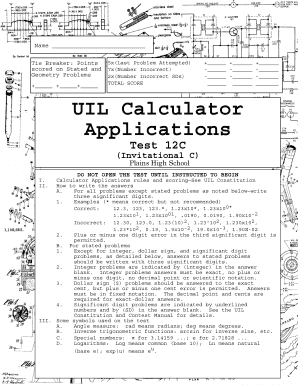
Get Calculator Applications
How it works
-

Open form follow the instructions
-

Easily sign the form with your finger
-

Send filled & signed form or save
How to fill out the Calculator Applications online
This guide provides clear and comprehensive instructions for completing the Calculator Applications form available online. By following these steps, users can efficiently fill out the form to ensure accurate submissions.
Follow the steps to successfully complete the Calculator Applications form.
- Click the ‘Get Form’ button to retrieve the form and open it in your online editing environment.
- Begin by entering your name in the designated field. Make sure to clearly print your full name as this will be used for identification.
- Next, fill in your school name in the provided section. This information is vital as it links your submission to your educational institution.
- Indicate your grade level by selecting the appropriate option from the dropdown list or checkboxes.
- Proceed to solve the problems provided in the form, ensuring that you write your answers in the designated spaces. Pay attention to the specific rules for formatting your answers as outlined in the instructions.
- Review your answers carefully for accuracy. Ensure all entries comply with the significant digit requirements detailed in the form.
- Lastly, save your changes, and if necessary, you may also download, print, or share the completed form as needed.
Complete your Calculator Applications form online and ensure your answers are submitted accurately.
To calculate a 7% tax using Calculator applications, first input the amount you want to tax. Next, multiply that amount by 0.07 to find the tax. Finally, add the result to the original amount to get the total including tax. Many Calculator applications provide dedicated features or templates that streamline this process, making tax calculations straightforward.