Loading
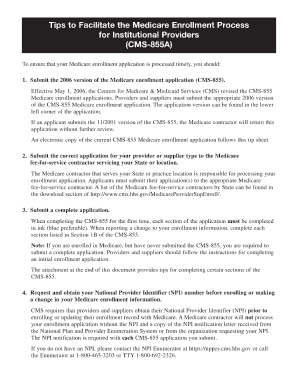
Get Printable Medicare Form Cms 855a
How it works
-

Open form follow the instructions
-

Easily sign the form with your finger
-

Send filled & signed form or save
How to fill out the Printable Medicare Form Cms 855a online
Filling out the Printable Medicare Form Cms 855a can be a straightforward process when you know the necessary steps. This guide provides clear and comprehensive instructions to help users complete the form with confidence.
Follow the steps to successfully fill out the form.
- Click the ‘Get Form’ button to obtain the form and access it in your preferred editor.
- Review the instructions included with the form to understand the information required for each section. Take note of any specific guidelines for entries.
- Begin filling out the applicant's information in Section 1, including the legal business name and any DBA (doing business as) name.
- Complete Section 2 by providing the type of entity and addressing the contact information for the primary contact person.
- In Section 3, accurately list the provider identification numbers, ensuring that they match your existing Medicare records.
- Proceed to Section 4 to enter details related to your practice location, including the full address and phone number.
- Fill out any applicable sections regarding ownership and managing control interests, ensuring full disclosure as required.
- Finalize by reviewing all sections for accuracy and completeness. Look over every field to ensure no required information is missed.
- Once everything is complete, save your changes. You can download, print, or share the form as needed.
Take the first step towards managing your Medicare enrollment by completing forms online.
To fill out a Medicare termination form, you should gather the necessary information regarding your Medicare enrollment and the reasons for termination. Ensure you download the correct form and provide all required details to avoid delays. You may also reference the Printable Medicare Form Cms 855a to gather any relevant information needed during this process. It's advisable to keep a copy of your form for your records.