Loading
Form preview
  • US Legal Forms
  • Form Library
  • More Forms
  • More Uncategorized Forms
  • Cmd Tuner Installation And User Guide - Power Commander

Get Cmd Tuner Installation And User Guide - Power Commander

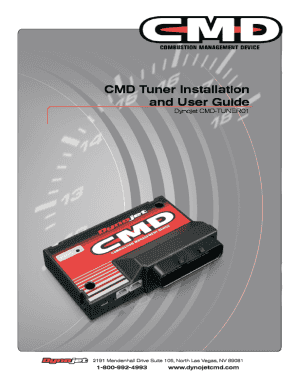
2009 Dynojet Research, Inc. All Rights Reserved. CMD Tuner Installation and User Guide This manual is copyrighted by Dynojet Research, Inc., hereafter referred to as Dynojet, and all rights are reserved.

How it works

  1. Open form

    Open form follow the instructions

  2. Easily sign form

    Easily sign the form with your finger

  3. Share form

    Send filled & signed form or save

How to fill out the CMD Tuner Installation And User Guide - Power Commander online

Filling out the CMD Tuner Installation And User Guide - Power Commander is crucial for ensuring proper setup and usage of your CMD Tuner. This guide provides clear instructions to help you navigate through each section of the document with ease.

Follow the steps to expertly complete the CMD Tuner Installation and User Guide.

  1. Click the ‘Get Form’ button to access the CMD Tuner Installation And User Guide, making it available for completion in an editable format.
  2. Begin by reviewing the introduction section, which outlines key details about the CMD Tuner and its components.
  3. Proceed to the parts list section where you will need to verify the quantities and descriptions of all necessary components included in the package.
  4. Refer to the tools required section, ensuring you have all the necessary tools listed before starting the installation process.
  5. Follow the wiring instructions carefully, ensuring correct connections by checking each described pin out and using multimeter checks where applicable.
  6. Complete the installation section based on your specific vehicle requirements, ensuring safety by disconnecting the battery as instructed.
  7. After wiring, proceed to the software installation instructions, filling out any required fields for software configuration.
  8. Review the CMD tables section to input any desired modifications to the fuel or boost tables, adjusting values based on your tuning needs.
  9. As the final step, save your changes, and ensure to download, print, or share the completed guide as needed.

Start completing your CMD Tuner Installation And User Guide online today for optimal setup!

Get form

Experience a faster way to fill out and sign forms on the web. Access the most extensive library of templates available.
Get form

Related content

User's Manual
User's Manual (this guide). ❏ Quick ... All other trade names mentioned in this manual...
Learn more
WSJT-X 2.0 User Guide
VHF Setup; 8.2. ... Consult your radio's user *guide for the proper parameter values....
Learn more
VAIO User Guide | Top page - Manuals, Specs &...
Power. TV. Wireless LAN. Troubleshooting. How to Use. Parts Description. Setup ... Parts...
Learn more

Related links form

NY Bronx Health Link Health Equity Report 2009 VU Business License Application Form 2021 TX Z.A.C. Cash Machine 2015 TN YMCA Of Middle Incident Report Form 2015

Questions & Answers

Get answers to your most pressing questions about US Legal Forms API.

Contact support

Yes, the Power Commander comes equipped with an auto-tune feature. This allows the device to adjust fuel maps automatically based on your riding conditions, improving performance without manual input. Refer to the CMD Tuner Installation And User Guide - Power Commander for detailed steps on activating and using the auto-tune functionality.

Setting up a Power Commander involves several important steps. First, you must install the unit according to the instructions in the CMD Tuner Installation And User Guide - Power Commander. After installation, connect your bike to a computer to access the tuning software and configure it based on your performance preferences.

Tuning using Dynojet is a straightforward process. Start by connecting the Power Commander to your bike, then make the necessary adjustments either manually or via the auto-tune feature. For detailed instructions, the CMD Tuner Installation And User Guide - Power Commander is a valuable tool, guiding you through each step.

Yes, the Power Commander features an auto-tune function. This feature automatically adjusts the fuel mapping to align with riding conditions, enhancing responsiveness and performance. Refer to the CMD Tuner Installation And User Guide - Power Commander to learn how to activate and optimize this function.

You can request a tune from Dynojet by visiting their official website or contacting an authorized dealer. Make sure you have all necessary information about your motorcycle ready for a smooth interaction. Additionally, refer to the CMD Tuner Installation And User Guide - Power Commander for guidance on the type of tune you may need.

Yes, Dynojet can increase horsepower effectively. By enhancing your fuel mixture and optimizing your engine's performance parameters, you can achieve a noticeable boost in power. The CMD Tuner Installation And User Guide - Power Commander details how to maximize your vehicle's potential using Dynojet products.

Yes, you can tune a Power Commander to enhance your motorcycle's performance. Using the CMD Tuner Installation And User Guide - Power Commander, you can access various maps and settings to suit your riding style. Whether you need performance boosts or better fuel efficiency, tuning allows you to customize your bike’s performance. Remember that proper tuning can lead to a noticeable improvement in your ride.

Wiring a Power Commander requires careful attention to detail as outlined in the CMD Tuner Installation And User Guide - Power Commander. Begin by identifying the correct connectors that match your motorcycle's model. Follow the color-coded wiring instructions to ensure a proper fit. Once connected, check all connections to guarantee they are secure before starting your bike to confirm the installation was successful.

Setting up a Power Commander is straightforward when you follow the CMD Tuner Installation And User Guide - Power Commander. Start by connecting the Power Commander to your bike's wiring harness according to the manual. Next, install the software on your computer and upload the desired map. After that, take a test ride to ensure everything is functioning as intended, making adjustments if necessary.

To get a custom tune from Dynojet, you should start by visiting an authorized Dynojet dealer. They have the expertise and equipment to create a personalized tuning solution using the CMD Tuner Installation And User Guide - Power Commander. After a thorough vehicle assessment and runs on a dyno, they will adjust your settings for optimal performance. This process ensures your motorcycle runs efficiently and meets your preferences.

Get This Form Now!

Use professional pre-built templates to fill in and sign documents online faster. Get access to thousands of forms.
Get form
If you believe that this page should be taken down, please follow our DMCA take down processhere.

Industry-leading security and compliance

US Legal Forms protects your data by complying with industry-specific security standards.
  • In businnes since 1997
    25+ years providing professional legal documents.
  • Accredited business
    Guarantees that a business meets BBB accreditation standards in the US and Canada.
  • Secured by Braintree
    Validated Level 1 PCI DSS compliant payment gateway that accepts most major credit and debit card brands from across the globe.
Get CMD Tuner Installation And User Guide - Power Commander
Get form
  • Adoption
  • Bankruptcy
  • Contractors
  • Divorce
  • Home Sales
  • Employment
  • Identity Theft
  • Incorporation
  • Landlord Tenant
  • Living Trust
  • Name Change
  • Personal Planning
  • Small Business
  • Wills & Estates
  • Packages A-Z
  • Affidavits
  • Bankruptcy
  • Bill of Sale
  • Corporate - LLC
  • Divorce
  • Employment
  • Identity Theft
  • Internet Technology
  • Landlord Tenant
  • Living Wills
  • Name Change
  • Power of Attorney
  • Real Estate
  • Small Estates
  • Wills
  • All Forms
  • Forms A-Z
  • Form Library
  • Legal Hub
  • About Us
  • Help Portal
  • Legal Resources
  • Blog
  • Affiliates
  • Contact Us
  • Delete My Account
  • Site Map
  • Industries
  • Forms in Spanish
  • Localized Forms
  • State-specific Forms
  • Forms Kit
  • Real Estate Handbook
  • All Guides
  • Notarize
  • Incorporation services
  • For Consumers
  • For Small Business
  • For Attorneys
  • USLegal
  • FormsPass
  • pdfFiller
  • signNow
  • altaFlow
  • DocHub
  • Instapage
Form Packages
  • Adoption
  • Bankruptcy
  • Contractors
  • Divorce
  • Home Sales
  • Employment
  • Identity Theft
  • Incorporation
  • Landlord Tenant
  • Living Trust
  • Name Change
  • Personal Planning
  • Small Business
  • Wills & Estates
  • Packages A-Z
Form Categories
  • Affidavits
  • Bankruptcy
  • Bill of Sale
  • Corporate - LLC
  • Divorce
  • Employment
  • Identity Theft
  • Internet Technology
  • Landlord Tenant
  • Living Wills
  • Name Change
  • Power of Attorney
  • Real Estate
  • Small Estates
  • Wills
  • All Forms
  • Forms A-Z
  • Form Library
Customer Service
  • Legal Hub
  • About Us
  • Help Portal
  • Legal Resources
  • Blog
  • Affiliates
  • Contact Us
  • Delete My Account
  • Site Map
  • Industries
  • Forms in Spanish
  • Localized Forms
  • State-specific Forms
  • Forms Kit
Legal Guides
  • Real Estate Handbook
  • All Guides
Prepared for you
  • Notarize
  • Incorporation services
Our Customers
  • For Consumers
  • For Small Business
  • For Attorneys
Our Sites
  • USLegal
  • FormsPass
  • pdfFiller
  • signNow
  • altaFlow
  • DocHub
  • Instapage
Social Media
Call us now toll free:
+1 833 426 79 33
As seen in:
© Copyright 1999-2026 airSlate Legal Forms, Inc. 3720 Flowood Dr, Flowood, Mississippi 39232
  • Your Privacy Choices
  • Terms of Service
  • Privacy Notice
  • Content Takedown Policy
  • Bug Bounty Program