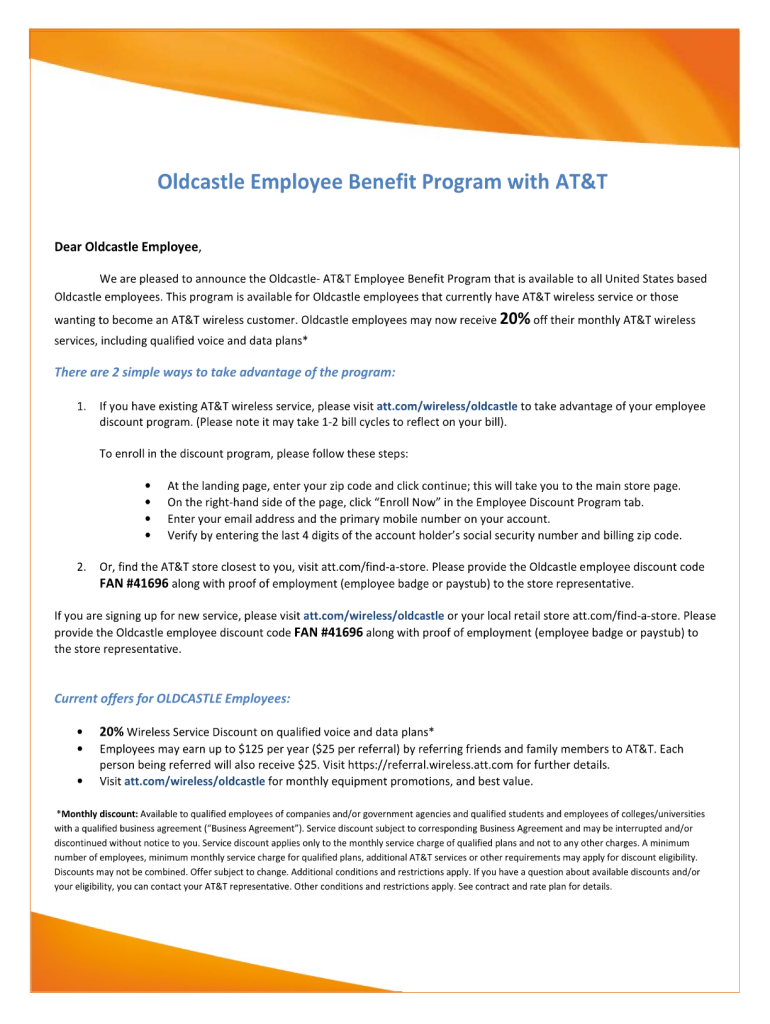
A Oldcastle Employee Benefit Program with AT&T Dear Oldcastle Employee, We are pleased to announce the Oldcastle- AT&T Employee Benefit Program that is available to all United States based.
Loading

Open form follow the instructions

Easily sign the form with your finger

Send filled & signed form or save
How to fill out the Omg Employee Portal online
Filling out the Omg Employee Portal form online can streamline your experience and ensure that your information is accurately recorded. This guide provides clear, step-by-step instructions for completing the form effectively.
Follow the steps to complete your Omg Employee Portal form.
- Press the ‘Get Form’ button to access the form and open it in your preferred editor.
- Begin by entering your personal information in the designated fields, including your full name, address, and contact details. Ensure that all provided information is current and accurate.
- Proceed to fill out your employment details, including your job title, department, and start date. This information helps to identify your role within the organization.
- Review any additional sections such as benefits selection or emergency contact information. Complete these fields thoroughly to ensure you receive all relevant information.
- After filling in all required sections, take the time to review your entries for accuracy and completeness. This step is crucial to avoid any potential issues with your submission.
- Once you are satisfied with the information provided, you can choose to save changes, download a copy for your records, print the form, or share it as necessary.
Complete your documents online to ensure accuracy and efficiency.
Experience a faster way to fill out and sign forms on the web. Access the most extensive library of templates available.
Related content
The Office of Management and Budget is committed to providing all news related items from...
Sign In to Employee Service Portal. Username: Password: Sign In. Forgot your username?...
You can help stop Medicaid fraud. Call OMIG's Fraud Hotline at 1-877-87 FRAUD...
Get answers to your most pressing questions about US Legal Forms API.
What does an employee portal do?
An employee portal, such as the Omg Employee Portal, provides employees with easy access to a range of HR services and company resources. It typically includes functionalities like paycheck access, benefits management, and internal communication tools. This platform enhances transparency and simplifies the ways employees interact with management. Ultimately, the Omg Employee Portal improves organizational efficiency and employee satisfaction.
What are common problems with employee portals?
While the Omg Employee Portal aims to improve efficiency, users may encounter issues like login difficulties, account accessibility, or outdated information. These problems can disrupt workflow and lead to frustration. However, the Omg Employee Portal is designed with user support in mind. Our platform continually updates to enhance user experience and provide real-time assistance.
What is ESS and how does it work?
Employee Self-Service, or ESS, is a feature of the Omg Employee Portal that empowers employees to manage their own information. With ESS, you can update personal details, view payroll data, and handle tax forms without needing to contact HR directly. This approach not only saves time but also fosters a sense of ownership over your employment records. The Omg Employee Portal ensures that all data management is simple and user-friendly.
Can employees access HR portals remotely?
Absolutely, employees can access the Omg Employee Portal and its HR features remotely anytime, anywhere. This flexibility allows you to manage your employment details and access important information without being confined to a specific location. Whether you are at home or on the go, the portal ensures you stay connected with your HR resources.
How do I access my company's HR portal?
To access your company's HR portal, first log in to the Omg Employee Portal using your credentials. Once logged in, navigate to the HR section where you will find all relevant features tailored for your employment needs. If you encounter any issues, you can reach out to HR for assistance.
Is there any HR portal?
Yes, the Omg Employee Portal serves as your dedicated HR portal, offering various features to meet employee needs. Many organizations utilize this platform to provide essential services such as benefits information, payroll data, and policy guidelines. By integrating an HR portal within the Omg Employee Portal, companies ensure employees have the resources they need readily available.
How do I find my company's HR?
To locate your company's HR department, you can start by checking the Omg Employee Portal for contact information or resources. Most organizations post HR details, including email addresses and phone numbers, within the portal's sections dedicated to employee assistance. If you still have trouble, consider asking a manager or fellow employee for guidance.
How to create an employee profile?
To create an employee profile on the Omg Employee Portal, log in and navigate to the profile section. Provide all necessary personal information, such as contact details and emergency contacts. Completing your profile helps ensure accurate records and personalized communication.
How does the employee portal work?
The Omg Employee Portal functions as a centralized hub for all employee-related tasks. Users can log in securely to access payroll information, benefits, and company updates. This platform streamlines communication between management and staff, enhancing organizational efficiency.
How to create a staff portal?
Creating a staff portal can begin with assessing your organization’s needs and goals. Utilize platforms like the Omg Employee Portal, which offer simple setup processes and customizable features. Engage your team during development to ensure the portal aligns with their requirements.
Use professional pre-built templates to fill in and sign documents online faster. Get access to thousands of forms.
If you believe that this page should be taken down, please follow our DMCA take down process here.