Loading
Get Tpn Order Sheet
How it works
-

Open form follow the instructions
-

Easily sign the form with your finger
-

Send filled & signed form or save
How to fill out the Tpn Order Sheet online
This guide provides clear instructions on how to effectively fill out the Tpn Order Sheet online. By following these steps, users can ensure that they complete the form accurately and efficiently.
Follow the steps to complete the Tpn Order Sheet online.
- Click the ‘Get Form’ button to access the Tpn Order Sheet, allowing you to fill it out directly in the online format.
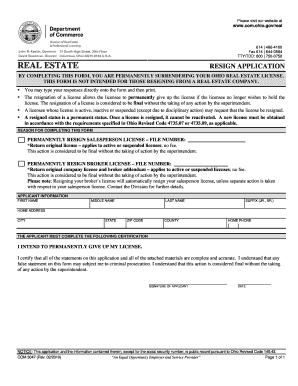
- Begin by entering your personal information in the 'Applicant Information' section, including your first name, middle name, last name, and any applicable suffix (e.g., JR. or SR.).
- Provide your home address details, including city, state, zip code, and county to ensure accurate identification.
- Input your home phone number in the designated field to allow for contact if needed.
- Review the certification statement carefully. Indicate your intent to permanently give up your license by checking the appropriate box.
- Confirm that you have completed all statements accurately and acknowledge the finality of this action by signing the application.
- Date your application to indicate when it was completed.
- Once all sections are filled, save your changes, and you have the option to download, print, or share the completed Tpn Order Sheet.
Start filling out your Tpn Order Sheet online today to ensure your application is processed correctly.
To safely administer TPN, start by verifying the Tpn Order Sheet to ensure you have the right formula for the patient. Next, prepare the infusion pump and prime the IV line to avoid air bubbles. Confirm patient identity and ensure the site for the IV line is clean and secure. Finally, monitor the patient closely during the infusion for any adverse reactions, and document the administration process meticulously.