Loading
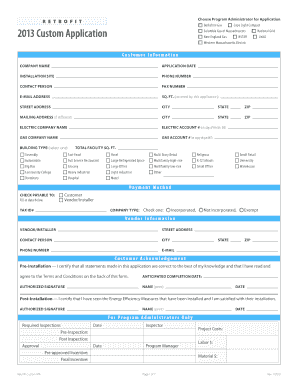
Get Nstar Custom Application Form
How it works
-

Open form follow the instructions
-

Easily sign the form with your finger
-

Send filled & signed form or save
How to fill out the Nstar Custom Application Form online
Filling out the Nstar Custom Application Form online is a straightforward process that helps ensure your application for energy efficiency incentives is complete and accurate. This guide provides clear, step-by-step instructions on how to navigate each section of the form effectively.
Follow the steps to successfully complete your application.
- Click the ‘Get Form’ button to obtain the Nstar Custom Application Form and open it in your online document editor.
- Begin by entering the customer information. Fill in the company name, application date, installation site, phone number, contact person, fax number, email address, square footage, street address, city, state, and zip code. Ensure this information is accurate and complete.
- If your mailing address differs from your installation site, complete the mailing address section with the appropriate city, state, and zip code.
- Next, indicate your electric company and provide the electric account number. If applicable, upload a copy of your electric bill for verification.
- Fill in the gas company name and the gas account number as well. Similarly, upload a copy of your gas bill if you have it.
- Select the building type from the list provided. Ensure you specify the total facility square footage next to this section.
- Complete the payment method section by indicating whether checks should be made payable to the customer or vendor/installer and complete the company type as either incorporated, not incorporated, or exempt.
- In the vendor information section, provide the relevant details about your vendor or installer including their contact information.
- Acknowledge the customer certification by filling in the anticipated completion date and providing your authorized signature along with your printed name and date.
- After reviewing all fields for completeness and accuracy, save your changes. You can also download, print, or share the completed form as needed.
Complete your Nstar Custom Application Form online today to take advantage of potential energy efficiency incentives!
Related links form
General duty staff typically engage in primary operational tasks, while support staff assist and facilitate those operations. Understanding these roles is crucial, especially when submitting forms like the Nstar Custom Application Form. If your application requires details about staffing roles, knowing this distinction can be beneficial.