Loading
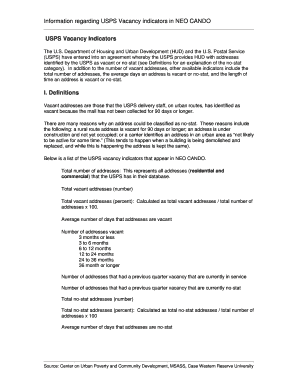
Get Usps Vacant Form
How it works
-

Open form follow the instructions
-

Easily sign the form with your finger
-

Send filled & signed form or save
How to fill out the Usps Vacant Form online
Filling out the Usps Vacant Form online is a straightforward process that allows users to report or request information regarding vacant addresses effectively. This guide provides step-by-step instructions to ensure a seamless experience while completing the form.
Follow the steps to fill out the Usps Vacant Form effectively
- Click the ‘Get Form’ button to access the Usps Vacant Form and open it in your preferred online editor.
- Begin by entering the required personal information, such as your name, address, and contact details, ensuring that all fields are accurately filled in.
- Proceed to the section regarding the property in question. Provide the address you are reporting as vacant, including any specific identifiers like the ZIP code.
- Indicate the status of the property by selecting the appropriate option that describes its vacancy duration – options typically include categories like 'vacant for 3 months or less' or 'vacant for 36 months or longer'.
- Review any additional sections that may require information about previous occupancy or reasons for vacancy, if applicable.
- Double-check all entries for accuracy and completeness before finalizing your submission.
- Once you confirm that all information is correct, you may choose to save changes, download a copy for your records, or print the completed form.
Complete your Usps Vacant Form online today to ensure accurate reporting and effective communication.
To file a USPS report, visit your local post office or navigate to the USPS website. You can fill out the necessary forms online, including any relevant details about the report. If your issue involves vacancy, using the USPS Vacant Form is essential to address your concerns effectively and ensure that your mail reaches you without issues.
Industry-leading security and compliance
US Legal Forms protects your data by complying with industry-specific security standards.
-
In businnes since 199725+ years providing professional legal documents.
-
Accredited businessGuarantees that a business meets BBB accreditation standards in the US and Canada.
-
Secured by BraintreeValidated Level 1 PCI DSS compliant payment gateway that accepts most major credit and debit card brands from across the globe.