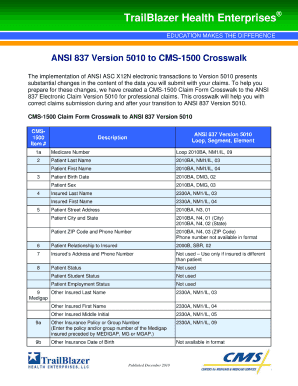
Get 837p Claim Form
How it works
-

Open form follow the instructions
-

Easily sign the form with your finger
-

Send filled & signed form or save
How to fill out the 837p Claim Form online
The 837p claim form is a crucial document used for submitting healthcare claims to insurance providers. This guide will walk you through the steps necessary to complete the form accurately and efficiently online.
Follow the steps to fill out the 837p Claim Form correctly
- Press the ‘Get Form’ button to access the 837p Claim Form and open it in your preferred online editor.
- Review the form's sections, which include patient information, provider information, and service line details. Enter the patient’s personal information such as name, date of birth, and insurance details in the appropriate fields.
- Provide detailed provider information, including the name and address of the healthcare provider. Ensure that the National Provider Identifier (NPI) number is correctly included.
- In the service line section, accurately list each service provided, including procedure codes, dates of service, and charges. Double-check that all codes are valid and match the services rendered.
- Review the form for any errors or missing information. It is essential to ensure accuracy to avoid any delays in processing your claim.
- Once all fields are completed and reviewed, you can save your changes. Choose to download the form, print it for your records, or share it as needed.
Complete your 837p Claim Form online today to ensure timely processing of your healthcare claims.
The 837 claim process involves several key steps: preparing your claim, completing the 837p Claim Form accurately, and submitting it electronically to payers. After submission, the claim undergoes validation and is processed by the insurance company. If there are no discrepancies, you will receive reimbursement for the services rendered. For a streamlined experience with templates and guidance through each step, UsLegalForms is an excellent resource.