Loading
Get Dfs J3 1173
How it works
-

Open form follow the instructions
-

Easily sign the form with your finger
-

Send filled & signed form or save
How to fill out the Dfs J3 1173 online
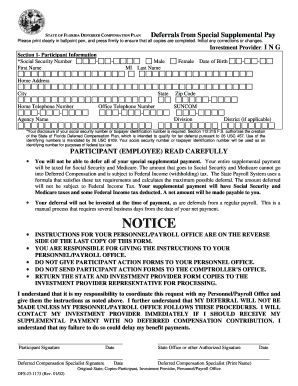
Filling out the Dfs J3 1173 form is essential for participants wishing to defer their special supplemental pay within the State of Florida Deferred Compensation Plan. This guide provides clear, step-by-step instructions to help users navigate the form effectively.
Follow the steps to successfully complete the Dfs J3 1173 form.
- Click ‘Get Form’ button to obtain the form and open it in the editor.
- In Section 1, Participant Information, fill out your Social Security number, First Name, Middle Initial, and Last Name clearly. Ensure your gender is specified by checking the correct box.
- Read the participant (employee) section carefully. Acknowledge that you will not be able to defer the entire special supplemental payment, and understand the tax implications as outlined in the form.
- After completing the form, return the State and Investment Provider Form copies to the Investment Provider representative for processing.
Complete your Dfs J3 1173 form online today to ensure timely deferral processing.
Getting the DFS replication status is straightforward. You can use the DFS Management console or run specific PowerShell commands to check the health of your replication groups. It's essential to monitor the DFS J3 1173 regularly to ensure efficient data flow and replication. If you require more detailed insights, the UsLegalForms platform can provide you with the necessary resources and tools.