Loading
Get Instructions For Completing Export Express Form
How it works
-

Open form follow the instructions
-

Easily sign the form with your finger
-

Send filled & signed form or save
How to fill out the Instructions for Completing Export Express Form online
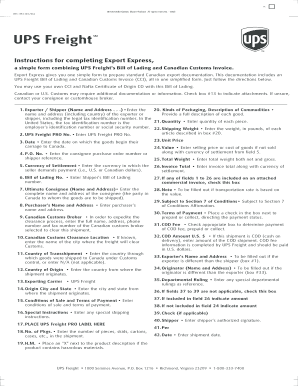
The Instructions for Completing Export Express Form provides essential guidance on preparing standard Canadian export documentation, including a UPS Freight Bill of Lading and Canadian Customs Invoice. This guide will help users understand each section of the form and successfully complete it online.
Follow the steps to fill out the Export Express Form correctly.
- Press the ‘Get Form’ button to access the Export Express Form in the editor.
- Enter the name and address of the exporter or shipper in the appropriate fields. Include the legal tax identification number, such as an employer's identification number or social security number if applicable.
- Input the UPS Freight PRO Number, which is necessary for tracking your shipment.
- Record the date on which the goods begin their journey to Canada.
- Provide the consignee purchase order number or relevant reference in the P.O. No. field.
- Specify the currency of settlement in which the seller demands payment, such as U.S. or Canadian dollars.
- Fill in the Shipper's Bill of Lading number in the respective field.
- Complete the details for the ultimate consignee by entering their full name and address.
- Enter the purchaser's name and address if it differs from the consignee.
- Input the name, address, and contact information for the Canadian customs broker who will assist with the shipment.
- If known, specify the city where the customs clearance will occur.
- Indicate the country through which goods will transship and provide the country of origin.
- Specify the quantity and weight of the goods being shipped, including the total weight and item descriptions.
- Complete the terms of payment, indicating if they are prepaid or collect.
- Review all fields for accuracy, especially those marked as required.
- Save your changes, and then options will be available for downloading, printing, or sharing the completed form.
Start completing your Export Express Form online today for a seamless export documentation process.
To fill out an export value declaration form, begin by determining the correct value of the goods you are exporting. Make sure to provide complete and truthful information, as per the Instructions For Completing Export Express Form. This helps in complying with legal requirements and ensuring smooth processing of your export.