Loading
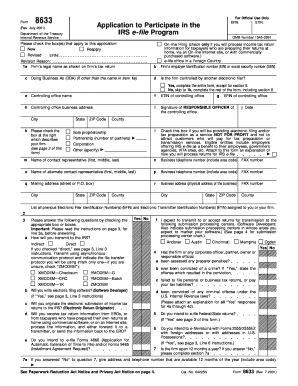
Get Form 8633
How it works
-

Open form follow the instructions
-

Easily sign the form with your finger
-

Send filled & signed form or save
How to fill out the Form 8633 online
Filling out the Form 8633 is an essential step for any firm looking to participate in the IRS e-file program. This guide provides a detailed walkthrough of each section of the form to help ensure that your application is completed accurately and efficiently.
Follow the steps to successfully complete the Form 8633
- Press the ‘Get Form’ button to access the form and open it in your browser.
- Begin by selecting the appropriate checkboxes that describe your application, such as 'New', 'Reapply', or 'Revised'. Make sure your selections align with your intention to participate in the IRS e-file program.
- Fill in your firm’s legal name as it appears on your tax return in line 1a. If applicable, include any 'Doing Business As' (DBA) names on line 1c.
- Indicate whether your firm is controlled by another electronic filer in line 1d. If yes, provide additional information as required.
- Enter your firm’s Employer Identification Number (EIN) or Social Security Number (SSN) in line 1b, according to your business structure.
- Complete the contact representative information on lines 1m and 1o, ensuring these individuals can be reached easily throughout the application process.
- Inquire about your firm's transmission method to the IRS in section 3. Choose either 'Indirect' or 'Direct' and provide necessary details related to the transmission protocol.
- Answer all questions in section 4 regarding preparer penalties and any criminal offenses. Attach explanations where necessary for any 'Yes' responses.
- Complete section 8 with the principals of your firm, providing their personal details and relevant signatures.
- Lastly, review your application for completeness, ensuring all signatures are affixed as required, before submitting your well-prepared Form 8633.
Ready to submit your application? Complete your Form 8633 online today!
To fill out form 10E step by step, begin with your basic information, including your identity and the financial year for which you are making the claim. Next, detail your eligible deductions, ensuring that all figures are accurate and well-documented. Finally, review your form for completeness. Reference tools like Form 8633 for any additional guidance to make each step clearer.