Loading
Form preview
  • US Legal Forms
  • Form Library
  • More Forms
  • More Uncategorized Forms
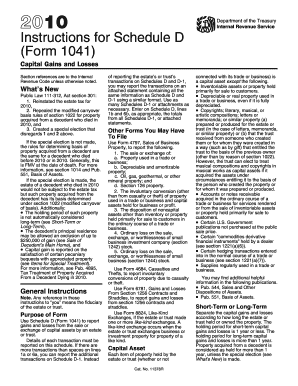
  • 1041 Schedule D Instructions 2010 Form

Get 1041 Schedule D Instructions 2010 Form

To figure the amount to enter on line 12 follow the applicable instructions below. amount to include on line 12 follow the Capital Loss Carryover Worksheet Use this worksheet to figure the estate s or trust s capital loss carryovers from 2010 to 2011 if Schedule D line 16 is a loss and a the loss on Schedule D line 15 col. 3 is more than 3 000 or b Form 1041 page 1 line 22 is a Enter taxable income or loss from Form 1041 line 22. For more informa.

How it works

  1. Open form

    Open form follow the instructions

  2. Easily sign form

    Easily sign the form with your finger

  3. Share form

    Send filled & signed form or save

How to fill out the 1041 Schedule D Instructions 2010 Form online

Filing taxes can be a complex process, especially for estates and trusts. The 1041 Schedule D Instructions for the 2010 Form is designed to help users report gains and losses from capital assets accurately. This guide will provide clear, step-by-step instructions to assist users in completing the form online.

Follow the steps to complete the 1041 Schedule D Instructions 2010 Form online.

  1. Press the ‘Get Form’ button to obtain the form and open it in the editor.
  2. Read the purpose of the form carefully. Schedule D (Form 1041) is used to report gains and losses from the sale or exchange of capital assets by an estate or trust.
  3. Fill in personal information, including the name and identification number of the estate or trust at the top of the form.
  4. Report each transaction in the provided columns, starting with short-term gains and losses on line 1a and long-term gains and losses on line 6a.
  5. In column (d), enter the sales price of each capital asset, based on your records or Form 1099-B data.
  6. Determine the cost or other basis of the assets sold and enter this amount in column (e). Refer to the guidelines for calculating basis from previous sections.
  7. Calculate the gain or loss for each asset by subtracting the amount in column (e) from column (d) and input the result in column (f).
  8. Total up the gains and losses, inputting these totals on lines 1b and 6b if needed, particularly if you report additional transactions on Schedule D-1 or an attached statement.
  9. Review your entries for accuracy before saving your changes. Once you have verified all information, you can save, download, print, or share the filled form.

Complete your documents online to ensure accuracy and compliance with tax regulations.

Get form

Experience a faster way to fill out and sign forms on the web. Access the most extensive library of templates available.
Get form

Related content

2010 Instruction 1041 Schedule D - Internal...
2010. Instructions for Schedule D. (Form 1041). Capital Gains and Losses. Section...
Learn more
2010 Form 1041 (Schedule D) - Internal Revenue...
Schedule D (Form 1041) (also for Form 5227 or Form 990-T, if applicable). OMB No. ... b...
Learn more
2017 Instructions for Form 1045 - Internal Revenue...
Dec 6, 2017 — All Schedules K-1 you received from partnerships, S ... 2008, 2009, 2010...
Learn more

Related links form

Louisiana Handbook - Louisiana Department Of Revenue - Revenue La 2030 Challenge For Products Adoption Form - Architecture 2030 - Architecture2030 This Announcement Describes Several Important Changes To The Employee Plans Adopt-a-Park Interest Form - Oregon - Oregon

Questions & Answers

Get answers to your most pressing questions about US Legal Forms API.

Contact support

Schedule D is attached to Form 1041 and should be included in your tax return package. You will usually find it after the main form but before any other schedules. Following the 1041 Schedule D Instructions 2010 Form will help you place it correctly within your documents. This proper organization can facilitate easier processing by the IRS.

You can use Schedule D instead of Form 8949 if you have straightforward transactions with short- and long-term gains and losses. This scenario often applies to simpler capital asset sales. By following the 1041 Schedule D Instructions 2010 Form, you can decide which form best suits your reporting needs. Choosing Schedule D can simplify the process if your situation allows for it.

Schedule D must be completed by estates and trusts who report capital gains and losses. If the estate or trust has sold any capital assets during the tax year, you need to report those transactions. Following the 1041 Schedule D Instructions 2010 Form will guide you through the necessary details to include. Completing this schedule ensures accurate reporting of your investment performance.

Yes, you can file IRS Form 1041 electronically. Many tax software programs support this form, making it easier to submit your tax returns. Ensure you follow the 1041 Schedule D Instructions 2010 Form for any related schedules and attachments. Filing electronically helps you avoid common paper filing mistakes and can speed up processing times.

To fill out Form 1041, start by gathering all necessary financial information about the estate or trust. Each section of the form requires specific details about income and distributions. It's beneficial to refer to the 1041 Schedule D Instructions 2010 Form for assistance with the distribution parts. For further clarity, consider using platforms like USLegalForms that simplify the documentation process and ensure compliance.

The Schedule D for Form 1041 is a supplementary document used for reporting the distribution of an estate or trust. It helps in detailing how estate income is allocated to beneficiaries. Accurate completion of this schedule is important for tax purposes and to fulfill fiduciary responsibilities. For reliable instructions, refer to the 1041 Schedule D Instructions 2010 Form.

An example of a Schedule D would be the report detailing distributions from an estate to its beneficiaries. For instance, if an estate distributes $20,000 to one beneficiary and $30,000 to another, these amounts must be accurately reported. The Schedule D format is designed to help you present this information clearly. The 1041 Schedule D Instructions 2010 Form provides thorough insights on how to document these distributions.

To report estate distributions to beneficiaries, you will use Form 1041 Schedule D. This form specifies how much each beneficiary received from the estate. Make sure to include accurate figures to avoid issues with tax reporting. Utilizing the 1041 Schedule D Instructions 2010 Form will guide you in filling this out correctly.

To file Schedule D, you need to assemble all relevant financial documents, including transaction details for capital assets. The 1041 Schedule D Instructions 2010 Form guides you on how to fill out the schedule correctly based on these details. Make sure to have your Form 1041 and any supporting documentation ready. Utilizing US Legal Forms can streamline your filing process.

Schedule D on Form 1041 is a schedule used to report capital gains and losses from the sale of assets. The 1041 Schedule D Instructions 2010 Form provides essential guidelines for how to report these transactions accurately. This schedule plays a key role in determining the tax implications for an estate or trust. For comprehensive help, refer to resources available on US Legal Forms.

Get This Form Now!

Use professional pre-built templates to fill in and sign documents online faster. Get access to thousands of forms.
Get form
If you believe that this page should be taken down, please follow our DMCA take down processhere.
Get 1041 Schedule D Instructions 2010 Form
Get form
  • Adoption
  • Bankruptcy
  • Contractors
  • Divorce
  • Home Sales
  • Employment
  • Identity Theft
  • Incorporation
  • Landlord Tenant
  • Living Trust
  • Name Change
  • Personal Planning
  • Small Business
  • Wills & Estates
  • Packages A-Z
  • Affidavits
  • Bankruptcy
  • Bill of Sale
  • Corporate - LLC
  • Divorce
  • Employment
  • Identity Theft
  • Internet Technology
  • Landlord Tenant
  • Living Wills
  • Name Change
  • Power of Attorney
  • Real Estate
  • Small Estates
  • Wills
  • All Forms
  • Forms A-Z
  • Form Library
  • Legal Hub
  • About Us
  • Help Portal
  • Legal Resources
  • Blog
  • Affiliates
  • Contact Us
  • Delete My Account
  • Site Map
  • Industries
  • Forms in Spanish
  • Localized Forms
  • State-specific Forms
  • Forms Kit
  • Real Estate Handbook
  • All Guides
  • Notarize
  • Incorporation services
  • For Consumers
  • For Small Business
  • For Attorneys
  • USLegal
  • FormsPass
  • pdfFiller
  • signNow
  • altaFlow
  • DocHub
  • Instapage
Form Packages
  • Adoption
  • Bankruptcy
  • Contractors
  • Divorce
  • Home Sales
  • Employment
  • Identity Theft
  • Incorporation
  • Landlord Tenant
  • Living Trust
  • Name Change
  • Personal Planning
  • Small Business
  • Wills & Estates
  • Packages A-Z
Form Categories
  • Affidavits
  • Bankruptcy
  • Bill of Sale
  • Corporate - LLC
  • Divorce
  • Employment
  • Identity Theft
  • Internet Technology
  • Landlord Tenant
  • Living Wills
  • Name Change
  • Power of Attorney
  • Real Estate
  • Small Estates
  • Wills
  • All Forms
  • Forms A-Z
  • Form Library
Customer Service
  • Legal Hub
  • About Us
  • Help Portal
  • Legal Resources
  • Blog
  • Affiliates
  • Contact Us
  • Delete My Account
  • Site Map
  • Industries
  • Forms in Spanish
  • Localized Forms
  • State-specific Forms
  • Forms Kit
Legal Guides
  • Real Estate Handbook
  • All Guides
Prepared for you
  • Notarize
  • Incorporation services
Our Customers
  • For Consumers
  • For Small Business
  • For Attorneys
Our Sites
  • USLegal
  • FormsPass
  • pdfFiller
  • signNow
  • altaFlow
  • DocHub
  • Instapage
Social Media
Call us now toll free:
+1 833 426 79 33
As seen in:
© Copyright 1999-2026 airSlate Legal Forms, Inc. 3720 Flowood Dr, Flowood, Mississippi 39232
  • Your Privacy Choices
  • Terms of Service
  • Privacy Notice
  • Content Takedown Policy
  • Bug Bounty Program