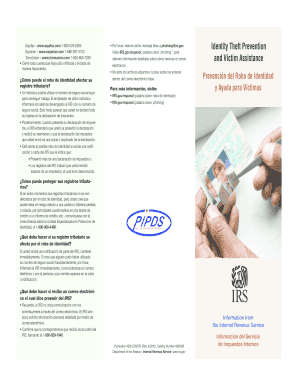
Information from the Internal Revenue Service Publication 4535 EN/SP Rev. 9-2010 Catalog Number 48656M Department of the Treasury Internal Revenue Service www.irs.gov Informaci n del Servicio de Impuestos Internos English While the Federal Trade Commission the lead agency on identity theft reported that the IRS has a low number What is identity theft Spanish lose any accounts that have been tampered with or C opened fraudulently.
Open form follow the instructions
Easily sign the form with your finger
Send filled & signed form or save
How to fill out the Irs 4535 Espanol Form online
The Irs 4535 Espanol Form is designed to assist those who have been victims of identity theft in managing their tax records. This guide will provide you with clear, step-by-step instructions on how to complete this form online, ensuring you have the necessary information at your fingertips.
Follow the steps to fill out the Irs 4535 Espanol Form online
- Press the ‘Get Form’ button to access the Irs 4535 Espanol Form. This will allow you to obtain the document and prepare it for completion.
- Begin by filling out your personal information in the designated fields. This includes your name, address, and Social Security number. Ensure that all entries are clear and accurate.
- In the section regarding the identity theft incident, provide a detailed account of the events. Include dates and any relevant information that pertains to how your identity was compromised.
- Submit any documentation that supports your claim of identity theft. This may include correspondence with financial institutions or law enforcement.
- Review the entire form to ensure that all fields are completed and accurate. Validate your entries for any possible errors.
- Once you are satisfied with the information provided, save the changes made to the form. You can then choose to download, print, or share the completed form as needed.
To ensure your tax records are secure, complete the Irs 4535 Espanol Form online today.
Experience a faster way to fill out and sign forms on the web. Access the most extensive library of templates available.
Related content
Mar 13, 2012 — IRS.gov/espanol (palabra clave: robo de identidad). • IRS.gov/espanol...
Dec 15, 2016 — Department of the Treasury Internal Revenue Service IRS.gov. IRS is the...
Get answers to your most pressing questions about US Legal Forms API.
How to get your IRS form?
To get your IRS form, visit the IRS website and search for the specific form you need. You can also contact the IRS directly for assistance in obtaining your forms. For ease of access to crucial documents like the IRS 4535 Espanol Form, consider using US Legal Forms for a smooth experience.
Can you download forms from the IRS?
Absolutely, you can download various forms directly from the IRS website. This includes a wide array of tax-related forms to meet your needs. If you are looking for specific forms in Spanish, such as the IRS 4535 Espanol Form, US Legal Forms provides a comprehensive repository.
Can you download a copy of your tax return?
Yes, it is possible to download a copy of your tax return from the IRS website if you filed electronically. You will need your personal information to access your account. For additional related forms like the IRS 4535 Espanol Form, US Legal Forms is an excellent resource.
How do I save my tax return as a PDF?
To save your tax return as a PDF, first open your completed document in your tax software or word processor. Look for the 'Save As' option and select PDF as the file format. If you need to include forms such as the IRS 4535 Espanol Form, you can find them easily on platforms like US Legal Forms.
How to get a tax transcript form?
You can get a tax transcript form through the IRS website or by contacting the IRS directly. It's crucial to have your personal information ready for verification purposes. For a user-friendly experience including forms like the IRS 4535 Espanol Form, consider visiting US Legal Forms.
How do I download ITR forms?
Downloading ITR forms is straightforward. Visit the IRS website, select the desired form, and download it for your use. For those looking for Spanish versions such as the IRS 4535 Espanol Form, platforms like US Legal Forms can simplify your search.
Where can I get the IRS form 4506?
You can obtain IRS form 4506 directly from the IRS website. This form allows you to request a copy of your tax return, which can be crucial for various purposes. If you require assistance or need related forms like the IRS 4535 Espanol Form, US Legal Forms provides a streamlined solution.
Can I download and print a 1099 form?
Yes, you can download and print a 1099 form from various sources including the IRS website. It's important to ensure you access the correct version to match your needs. If you encounter difficulties, consider using platforms like US Legal Forms for easy access to forms including the IRS 4535 Espanol Form.
How to fill out form 8995 instructions?
Filling out form 8995 requires careful attention to each section. You will need to gather relevant tax information and follow the outlined instructions thoroughly. If you need additional help, accessing resources like the IRS 4535 Espaol Form can guide you through similar processes effectively.
What is the IRS translation?
The IRS translation typically retains the acronym 'IRS' due to its recognition. Nonetheless, it can also be described as the 'Servicio de Impuestos Internos' in Spanish. Such translations help bridge language barriers, especially for forms like the IRS 4535 Espaol Form.
Use professional pre-built templates to fill in and sign documents online faster. Get access to thousands of forms.
If you believe that this page should be taken down, please follow our DMCA take down process here.