Loading
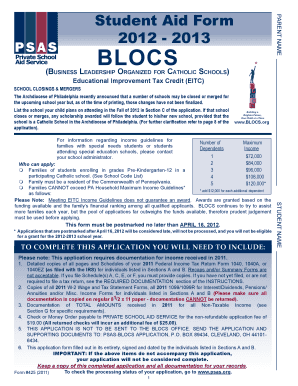
Get Student Aid Form 2013 Blocs
How it works
-

Open form follow the instructions
-

Easily sign the form with your finger
-

Send filled & signed form or save
How to fill out the Student Aid Form 2013 Blocs online
Completing the Student Aid Form 2013 Blocs online allows families to apply for tuition assistance and navigate the process with ease. This guide provides clear, step-by-step instructions to help you accurately fill out each section of the form.
Follow the steps to complete your Student Aid Form 2013 Blocs online:
- Press the ‘Get Form’ button to access the form and open it in the document editor.
- In Section A, enter your personal information including the names of the parent or guardian responsible for tuition. Be sure to provide Social Security numbers and contact details accurately.
- In Section B, list any other responsible adults residing with the primary applicant, ensuring their relevant details are complete.
- In Section C, indicate the number of dependents who will be attending a tuition-charging school. Include their names, ages, relationship to the primary applicant, the school they will attend, and grade level.
- In Section D, provide information about your household structure, including the number of residents and the marital status of the primary applicant. Make sure all details are filled in clearly.
- In Section E, for single, divorced, or separated parents, provide specifics as requested, regarding custody and responsibility for tuition.
- In Section F, enter your 2011 taxable income accurately. This includes income from all sources as required by the form.
- For non-taxable income in Section G, provide the total amounts received in 2011 for various income types. Ensure all fields are filled out.
- In Section H, indicate your housing situation and complete any relevant details about your living arrangements.
- In Section K, if applicable, report your business income estimates and provide required documentation if you are self-employed.
- Complete the certification and documentation requirements as stated in Section L, ensuring to include all necessary papers and signatures.
- Finally, review all sections for completeness, save your changes, and proceed to download, print or share your completed form.
Start filling out your Student Aid Form 2013 Blocs online today to secure financial assistance for your child's education!
Yes, you can easily download a PDF of your FAFSA. After logging into your FAFSA account, look for an option to view or print your application. This document will include all the details from your Student Aid Form 2013 Blocs. If you require further assistance, consider consulting the USLegalForms platform, which can simplify your experience with various legal forms.