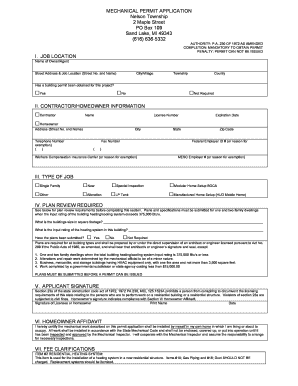
Get Mechanical Permit Application Nelson Township 2 Maple ... - Nelsontownship
How it works
-

Open form follow the instructions
-

Easily sign the form with your finger
-

Send filled & signed form or save
How to fill out the mechanical permit application Nelson Township 2 Maple ... - Nelsontownship online
This guide provides clear and comprehensive instructions on how to successfully complete the mechanical permit application for Nelson Township. Whether you are a contractor or a homeowner, following these steps will ensure you correctly fill out the required fields and submit your application with confidence.
Follow the steps to fill out the application accurately.
- Click ‘Get Form’ button to access the mechanical permit application form and open it in your preferred editor.
- Begin with section I, 'Job Location.' Provide the name of the owner or agent, street address, city or village, township, and county. Indicate whether a building permit has been obtained for this project by selecting ‘Yes’, ‘No’, or ‘Not Required’.
- In section II, 'Contractor/Homeowner Information', select whether you are a contractor or a homeowner. Fill in your name, license number, address, city, telephone number, fax number, state, expiration date, and zip code. Include your federal employer ID number if applicable, or indicate the reason for exemption.
- Section III, 'Type of Job', requires you to specify the nature of the work. Select either ‘Single Family’, ‘Other’, ‘New’, ‘Alteration’, ‘Special Inspection’, ‘LP Tank’, ‘Modular Home Setup BOCA’, or ‘Manufactured Home Setup (HUD Mobile Home)’.
- Complete section IV, 'Plan Review Required', by reviewing the requirements and indicating the building's size in square footage and the input rating of the heating system. Select whether plans have been submitted by choosing ‘Yes’, ‘No’, or ‘Not Required’.
- In section V, 'Applicant Signature', ensure that the contractor or homeowner signs the form, prints their name, and dates the application. This confirms compliance with the related laws and conditions.
- Complete section VI, 'Homeowner Affidavit', if applicable. The homeowner should certify that they will perform the work in their own home and agree to adhere to the State Mechanical Code.
- Fill out section VII, 'Fee Clarifications', if relevant, to clarify which fees apply to your application.
- In section VIII, 'Fee Chart', enter the number of items being installed and calculate the total fees by multiplying by the unit prices listed. Add all fees together to determine your total fee.
- Finally, review all entered information to ensure accuracy before saving your changes, downloading, printing, or sharing the completed form.
Start your mechanical permit application online today to ensure a smooth process!
Home renovations that typically require a permit in Michigan include major electrical, plumbing, and structural changes. Additionally, if you plan to alter your heating and cooling systems, a mechanical permit application in Nelson Township is necessary. It’s crucial to confirm specific project requirements with local authorities. To streamline your application process, consider using platforms like USLegalForms to access the necessary forms and information.
Industry-leading security and compliance
-
In businnes since 199725+ years providing professional legal documents.
-
Accredited businessGuarantees that a business meets BBB accreditation standards in the US and Canada.
-
Secured by BraintreeValidated Level 1 PCI DSS compliant payment gateway that accepts most major credit and debit card brands from across the globe.