Loading
Form preview
  • US Legal Forms
  • Form Library
  • More Forms
  • More Uncategorized Forms
  • Configuring Arrays On Hp Smart Array Controllers Reference Guide

Get Configuring Arrays On Hp Smart Array Controllers Reference Guide

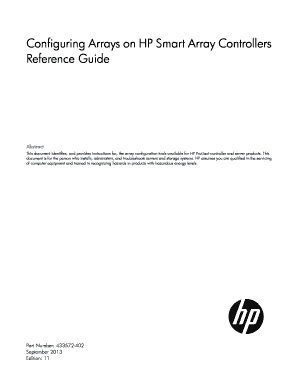
Configuring Arrays on HP Smart Array Controllers Reference Guide Abstract This document identifies, and provides instructions for, the array configuration tools available for HP ProLiant controller.

How it works

  1. Open form

    Open form follow the instructions

  2. Easily sign form

    Easily sign the form with your finger

  3. Share form

    Send filled & signed form or save

How to fill out the Configuring Arrays On HP Smart Array Controllers Reference Guide online

The Configuring Arrays On HP Smart Array Controllers Reference Guide provides essential instructions and tools for configuring HP ProLiant storage systems. This guide will help users navigate and complete the configuration efficiently, ensuring all necessary steps are taken accurately.

Follow the steps to effectively complete the guide.

  1. Press the ‘Get Form’ button to access the document and open it in your editor.
  2. Read through the introduction and purpose of the document to understand the context and importance of the configuration tasks.
  3. Familiarize yourself with the available configuration tools outlined in the document, which include the HP Array Configuration Utility, Option ROM Configuration for Arrays, and others.
  4. Identify the specific utility that aligns with your needs based on the tasks you need to perform, referencing the comparison of utilities.
  5. Follow the detailed instructions in each section for the utility you have selected, ensuring you understand the configurations and any hardware requirements.
  6. Take note of any available wizards that can assist with configuration and guide you through the process with minimal input.
  7. Complete each configuration step systematically, saving your progress as you go.
  8. Upon finishing your configurations, review your entries and ensure everything is accurately documented.
  9. Finally, save the changes, print a copy if required, or download the document as needed for your records.

Start configuring your arrays online using the guide to ensure optimal performance and reliability for your storage systems.

Get form

Experience a faster way to fill out and sign forms on the web. Access the most extensive library of templates available.
Get form

Related content

Security Policy - NIST Computer Security Resource...
2018 Hewlett-Packard Enterprise Development LP ... HPE P-CLASS SMART ARRAY RAID...
Learn more
Configuring Arrays on HP Smart Array Controllers...
Configuring Arrays on HP Smart Array Controllers Reference Guide Abstract This document...
Learn more
Hp Smart Array Raid Host Bus Adapters Users Manual...
Jan 5, 2015 — 13 Utilities available for configuring an array . ... using the utilities...
Learn more

Related links form

Recipient Rights Test Answers Westpac Competition 2022 Nri Group Of Colleges Pothavarappadu Formal Resignation Letter TemplateResignation Letter UK ...

Questions & Answers

Get answers to your most pressing questions about US Legal Forms API.

Contact support

To enable HPE Smart Array, you must access the server's BIOS or RAID configuration utility during boot. Here, you can activate the Smart Array functionality by following prompts specific to your server model. This step is crucial for ensuring optimal performance of your storage solution. Refer to the Configuring Arrays On HP Smart Array Controllers Reference Guide for further details.

You can open the HP System Information utility during the startup process of your server, usually by pressing a specific key like F1 or F10. This utility provides detailed insights into your system’s hardware configuration and status. It’s beneficial for checking the health of your Smart Array controllers and understanding more about your server's setup. For detailed procedures, refer to the Configuring Arrays On HP Smart Array Controllers Reference Guide.

To enter setup mode for an HP smart printer, locate the setup button on the printer and hold it until the display indicates you are in setup mode. This process allows you to adjust various printer settings. For detailed steps and configurations, check out resources like the Configuring Arrays On HP Smart Array Controllers Reference Guide.

The part number for the HP Smart Array P420i controller is 655290-B21. This controller offers enhanced performance and reliability for RAID configurations. If you are interested in optimizing your storage solutions, consider referencing the Configuring Arrays On HP Smart Array Controllers Reference Guide.

To access the HP Smart Array setup, you need to reboot your machine and press the relevant function key before the operating system loads. This key varies by model but is often F6 or F8. Ensure you follow the Configuring Arrays On HP Smart Array Controllers Reference Guide to optimize your setup process.

Entering setup mode on an HP device involves accessing the BIOS or firmware settings during the initial startup. You typically press a specific key, like F10, when prompted on the screen. Once in setup mode, refer to the Configuring Arrays On HP Smart Array Controllers Reference Guide for detailed instructions.

To enter the array configuration utility, restart your server and press the designated key during boot-up. This key often appears on the screen and is usually one of the function keys, such as F8 or F10. Following this guide ensures you can navigate to configuring arrays on HP Smart Array Controllers effectively.

To remove the HP Network Configuration Utility, you can access the add/remove programs feature in your operating system's settings. Select the utility from the list and follow the prompts to uninstall it. For additional context on managing array configurations like Configuring Arrays On HP Smart Array Controllers, consider referring to the useful resources available on the uslegalforms platform.

The HP array configuration utility is software that helps users create, manage, and modify RAID configurations for HP storage solutions. This utility plays a crucial role in optimizing storage performance and reliability. For an in-depth understanding of Configuring Arrays On HP Smart Array Controllers, refer to the dedicated sections in the reference guide.

Updating the HP smart array controller firmware involves downloading the latest firmware from the HP support website and applying it using either the array configuration utility or the SmartStart CD. Ensure that you follow the specific instructions for your server model. For consistent results while Configuring Arrays On HP Smart Array Controllers, follow the update procedures outlined in the reference guide.

Get This Form Now!

Use professional pre-built templates to fill in and sign documents online faster. Get access to thousands of forms.
Get form
If you believe that this page should be taken down, please follow our DMCA take down processhere.

Industry-leading security and compliance

US Legal Forms protects your data by complying with industry-specific security standards.
  • In businnes since 1997
    25+ years providing professional legal documents.
  • Accredited business
    Guarantees that a business meets BBB accreditation standards in the US and Canada.
  • Secured by Braintree
    Validated Level 1 PCI DSS compliant payment gateway that accepts most major credit and debit card brands from across the globe.
Get Configuring Arrays On HP Smart Array Controllers Reference Guide
Get form
Form Packages
Adoption
Bankruptcy
Contractors
Divorce
Home Sales
Employment
Identity Theft
Incorporation
Landlord Tenant
Living Trust
Name Change
Personal Planning
Small Business
Wills & Estates
Packages A-Z
Form Categories
Affidavits
Bankruptcy
Bill of Sale
Corporate - LLC
Divorce
Employment
Identity Theft
Internet Technology
Landlord Tenant
Living Wills
Name Change
Power of Attorney
Real Estate
Small Estates
Wills
All Forms
Forms A-Z
Form Library
Customer Service
Your Privacy Choices
Terms of Service
Privacy Notice
Legal Hub
Content Takedown Policy
Bug Bounty Program
About Us
Help Portal
Legal Resources
Blog
Affiliates
Contact Us
Delete My Account
Site Map
Industries
Forms in Spanish
Localized Forms
State-specific Forms
Forms Kit
Legal Guides
Real Estate Handbook
All Guides
Prepared for You
Notarize
Incorporation services
Our Customers
For Consumers
For Small Business
For Attorneys
Our Sites
US Legal Forms
USLegal
FormsPass
pdfFiller
signNow
altaFlow
DocHub
Instapage
Social Media
Call us now toll free:
+1 833 426 79 33
As seen in:
  • USA Today logo picture
  • CBC News logo picture
  • LA Times logo picture
  • The Washington Post logo picture
  • AP logo picture
  • Forbes logo picture
© Copyright 1997-2025
airSlate Legal Forms, Inc.
3720 Flowood Dr, Flowood, Mississippi 39232
Form Packages
Adoption
Bankruptcy
Contractors
Divorce
Home Sales
Employment
Identity Theft
Incorporation
Landlord Tenant
Living Trust
Name Change
Personal Planning
Small Business
Wills & Estates
Packages A-Z
Form Categories
Affidavits
Bankruptcy
Bill of Sale
Corporate - LLC
Divorce
Employment
Identity Theft
Internet Technology
Landlord Tenant
Living Wills
Name Change
Power of Attorney
Real Estate
Small Estates
Wills
All Forms
Forms A-Z
Form Library
Customer Service
Your Privacy Choices
Terms of Service
Privacy Notice
Legal Hub
Content Takedown Policy
Bug Bounty Program
About Us
Help Portal
Legal Resources
Blog
Affiliates
Contact Us
Delete My Account
Site Map
Industries
Forms in Spanish
Localized Forms
State-specific Forms
Forms Kit
Legal Guides
Real Estate Handbook
All Guides
Prepared for You
Notarize
Incorporation services
Our Customers
For Consumers
For Small Business
For Attorneys
Our Sites
US Legal Forms
USLegal
FormsPass
pdfFiller
signNow
altaFlow
DocHub
Instapage
Social Media
Call us now toll free:
+1 833 426 79 33
As seen in:
  • USA Today logo picture
  • CBC News logo picture
  • LA Times logo picture
  • The Washington Post logo picture
  • AP logo picture
  • Forbes logo picture
© Copyright 1997-2025
airSlate Legal Forms, Inc.
3720 Flowood Dr, Flowood, Mississippi 39232