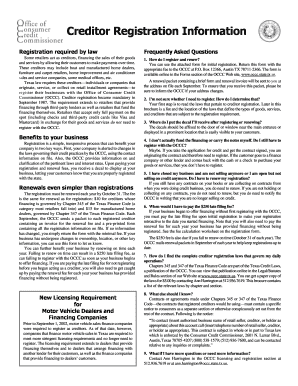
Get Creditor Registration Information - Occc State Tx
How it works
-

Open form follow the instructions
-

Easily sign the form with your finger
-

Send filled & signed form or save
How to fill out the Creditor Registration Information - Occc State Tx online
This guide provides a comprehensive walkthrough for completing the Creditor Registration Information for the Office of Consumer Credit Commissioner in Texas. By following these instructions, you can ensure your registration is completed accurately and efficiently.
Follow the steps to successfully complete your registration online.
- Click ‘Get Form’ button to obtain the form and open it in your preferred editor.
- Begin by entering the 'Owner or Corporation Name' in the designated field. Ensure the name matches your business status to avoid any discrepancies.
- If you have a 'Doing Business As' (DBA) name, provide it in the 'DBA Name' field. This is important for identifying your business operations.
- Fill in the 'Contact Person for Credit Administration.' This should be someone responsible for overseeing credit activities within your business.
- Enter your 'Street Address.' This must be your physical business location where you conduct operations.
- If your mailing address differs from your physical address, complete the 'Mailing Address' field.
- Provide your 'City, State, and Zip code.' This information is crucial for accurate registration.
- Input your 'Phone Number' and 'Fax Number,' ensuring you include the correct area codes.
- Include your 'Texas-issued Taxpayer ID #' in the corresponding field. This identifies your business for tax purposes.
- If applicable, indicate your 'State License #' such as P#, RBI#, or TACL#.
- Specify the 'Date Began Selling on Credit in TX or Buying TX Receivables.' This marks your start date for offering credit services.
- Next, calculate your registration fees. For creditors under Chapter 345, list the number of locations and calculate the total due ($10 per location). For manufactured housing under Chapter 347, do the same ($15 per location).
- Complete the late filing fee section if applicable, calculating the total due for late registrations based on your provided data.
- Prepare your payment and ensure that your check is made payable to the OCCC.
- Once all fields are filled in, review your form for accuracy. Save your changes and either download, print, or share the completed registration form.
Complete your Creditor Registration Information online today to ensure compliance with Texas law.
Yes, a creditor can garnish your bank account in Texas, but they must obtain a court judgment first. Once they have a judgment, they can petition the court to freeze your account and collect the owed amount. Understanding how this works and knowing your rights can help you better prepare. The creditor registration information - occc state TX is a valuable resource for comprehending these procedures and protecting your finances.