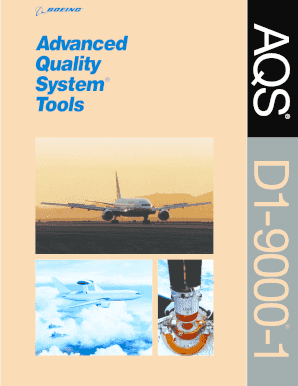
Get Boeing D1 9000
How it works
-

Open form follow the instructions
-

Easily sign the form with your finger
-

Send filled & signed form or save
How to fill out and sign Boeing D1 9000 online?
Get your online template and fill it in using progressive features. Enjoy smart fillable fields and interactivity.Follow the simple instructions below:The era of worrying about intricate legal and tax paperwork is over. With US Legal Forms, the entire experience of completing official documents is free from stress. The premier editor is at your disposal, offering a variety of beneficial tools for filling out a Boeing D1 9000. These suggestions, along with the editor, will assist you throughout the whole process.
We simplify the completion of any Boeing D1 9000. Get started today!
- Click the orange Get Form button to begin editing.
- Activate the Wizard mode in the upper toolbar for additional recommendations.
- Fill out each editable section.
- Ensure the information you provide for the Boeing D1 9000 is accurate and current.
- Add the date to the template using the Date option.
- Press the Sign button to create an e-signature. You have three options: typing, drawing, or uploading one.
- Review that every field has been correctly filled.
- Click Done in the upper right corner to save, send, or download the document. There are various options for receiving the document: as an email attachment, via traditional mail, or as an instant download.
Tips on how to fill out, edit and sign Boeing D1 9000 online
How to fill out and sign Boeing D1 9000 online?
Get your online template and fill it in using progressive features. Enjoy smart fillable fields and interactivity.Follow the simple instructions below:
The era of worrying about intricate legal and tax paperwork is over. With US Legal Forms, the entire experience of completing official documents is free from stress. The premier editor is at your disposal, offering a variety of beneficial tools for filling out a Boeing D1 9000. These suggestions, along with the editor, will assist you throughout the whole process.
We simplify the completion of any Boeing D1 9000. Get started today!
- Click the orange Get Form button to begin editing.
- Activate the Wizard mode in the upper toolbar for additional recommendations.
- Fill out each editable section.
- Ensure the information you provide for the Boeing D1 9000 is accurate and current.
- Add the date to the template using the Date option.
- Press the Sign button to create an e-signature. You have three options: typing, drawing, or uploading one.
- Review that every field has been correctly filled.
- Click Done in the upper right corner to save, send, or download the document. There are various options for receiving the document: as an email attachment, via traditional mail, or as an instant download.
How to modify Get Boeing D1 9000: personalize forms online
Check out an independent service to manage all of your documentation effortlessly. Locate, modify, and complete your Get Boeing D1 9000 in one interface with the assistance of intelligent tools.
The days when individuals had to print forms or even manually write them are over. Presently, all it requires to locate and finalize any form, such as Get Boeing D1 9000, is to open a single browser tab. Here, you will discover the Get Boeing D1 9000 form and modify it in any way you wish, from inserting text directly into the document to sketching it on a digital sticky note and affixing it to the document. Find tools that will simplify your documentation without extra hassle.
Click on the Get form button to prepare your Get Boeing D1 9000 documents effortlessly and start editing immediately. In the editing mode, you can easily fill the template with your details for submission. Simply click on the field you wish to change and enter the data right away. The editor’s interface does not require any special skills to navigate it. Once you complete the modifications, verify the information’s correctness again and sign the document. Click on the signature field and follow the guidelines to eSign the form in no time.
Utilize additional tools to personalize your form:
Preparing Get Boeing D1 9000 documentation will no longer be perplexing if you know where to find the appropriate template and complete it easily. Don’t hesitate to give it a try.
- Use Cross, Check, or Circle tools to highlight the document's details.
- Insert textual content or fillable text fields with text customization options.
- Remove, Highlight, or Blackout text segments in the document using relevant tools.
- Add a date, initials, or even an image to the document if required.
- Utilize the Sticky note tool to annotate the form.
- Use the Arrow or Line tool, or Draw tool to integrate graphic elements into your document.
Obtaining a Boeing badge typically requires identification documents, proof of employment, and completion of background checks. Additionally, you may need to submit supporting materials related to your role, especially if you are involved in Boeing D1 9000 operations. Be thorough in preparing your application for a smoother process.
Industry-leading security and compliance
-
In businnes since 199725+ years providing professional legal documents.
-
Accredited businessGuarantees that a business meets BBB accreditation standards in the US and Canada.
-
Secured by BraintreeValidated Level 1 PCI DSS compliant payment gateway that accepts most major credit and debit card brands from across the globe.