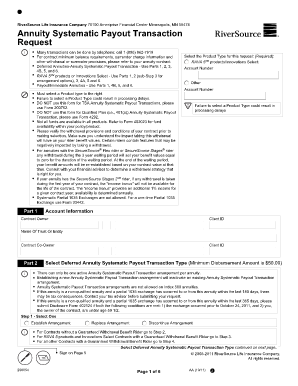
Get Annuity Systematic Payout Transaction Riversource Form
How it works
-

Open form follow the instructions
-

Easily sign the form with your finger
-

Send filled & signed form or save
How to fill out and sign Annuity Systematic Payout Transaction Riversource Form online?
Get your online template and fill it in using progressive features. Enjoy smart fillable fields and interactivity.Follow the simple instructions below:The preparation of legal documents can be costly and time-consuming. Nevertheless, with our pre-designed web templates, everything becomes easier.
Now, handling an Annuity Systematic Payout Transaction Riversource Form takes no more than 5 minutes.
Send it immediately to the recipient. Utilize the quick search and advanced cloud editor to create an accurate Annuity Systematic Payout Transaction Riversource Form. Eliminate the routine and generate documents online!
- Select the template from the catalog.
- Fill in all required information in the designated fillable fields.
- The user-friendly drag-and-drop graphical interface simplifies the process of adding or moving fields.
- Ensure everything is completed accurately, without errors or missing sections.
- Apply your electronic signature to the document.
- Click on Done to finalize the changes.
- Save the document or print a copy for yourself.
Tips on how to fill out, edit and sign Annuity Systematic Payout Transaction Riversource Form online
How to fill out and sign Annuity Systematic Payout Transaction Riversource Form online?
Get your online template and fill it in using progressive features. Enjoy smart fillable fields and interactivity.Follow the simple instructions below:
The preparation of legal documents can be costly and time-consuming. Nevertheless, with our pre-designed web templates, everything becomes easier.
Now, handling an Annuity Systematic Payout Transaction Riversource Form takes no more than 5 minutes.
Send it immediately to the recipient. Utilize the quick search and advanced cloud editor to create an accurate Annuity Systematic Payout Transaction Riversource Form. Eliminate the routine and generate documents online!
- Select the template from the catalog.
- Fill in all required information in the designated fillable fields.
- The user-friendly drag-and-drop graphical interface simplifies the process of adding or moving fields.
- Ensure everything is completed accurately, without errors or missing sections.
- Apply your electronic signature to the document.
- Click on Done to finalize the changes.
- Save the document or print a copy for yourself.
How to Modify Get Annuity Systematic Payout Transaction Riversource Form: Personalize Forms Online
Eliminate the clutter from your documentation process. Uncover the most straightforward method to locate, modify, and submit a Get Annuity Systematic Payout Transaction Riversource Form.
The task of preparing the Get Annuity Systematic Payout Transaction Riversource Form requires precision and concentration, particularly from individuals who are not well-versed in such responsibilities. It is crucial to obtain an appropriate template and complete it with accurate details. With an effective solution for managing documentation, you will have all the necessary tools accessible.
It's easy to streamline your editing process without acquiring additional skills. Locate the correct example of the Get Annuity Systematic Payout Transaction Riversource Form and swiftly fill it out without having to toggle between your browser tabs. Explore more tools to modify your Get Annuity Systematic Payout Transaction Riversource Form in the editing mode.
While on the Get Annuity Systematic Payout Transaction Riversource Form page, simply click the Get form button to commence editing it. Input your data directly into the form, as all the essential tools are readily available. The template is pre-structured, minimizing the effort required from the user. Utilize the interactive fillable fields in the editor to conveniently finalize your documentation. Just click on the form and move to the editor mode promptly. Complete the interactive field, and your document is ready for submission.
If you wish to annotate particular sections of the document, click on the Sticky tool and position a note as desired. Often, a minor mistake can compromise the entire form when filled out by hand. Dismiss concerns over inaccuracies in your documentation. Locate the templates you require within moments and complete them electronically using an intelligent editing solution.
- Insert additional textual content around the document if necessary.
- Utilize the Text and Text Box tools to add text in a distinct box.
- Incorporate pre-designed graphic elements like Circle, Cross, and Check with the respective tools.
- If required, capture or upload visuals to the document using the Image tool.
- To illustrate something in the document, employ Line, Arrow, and Draw tools.
- Consider the Highlight, Erase, and Blackout tools to modify the text in the document.
Determining the best company for an annuity depends on your specific needs and investment goals. That said, RiverSource consistently ranks well among customers for their product offerings and service. When exploring options, consider using tools provided by platforms like uslegalforms to compare annuities, including features of the Annuity Systematic Payout Transaction Riversource Form, to find the best fit for you.