Loading
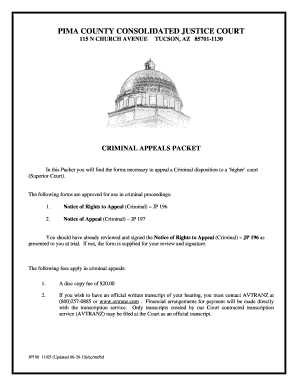
Get Pima County Consolidated Justice Court Forms
How it works
-

Open form follow the instructions
-

Easily sign the form with your finger
-

Send filled & signed form or save
How to fill out the Pima County Consolidated Justice Court Forms online
This guide is designed to assist users in effectively completing the Pima County Consolidated Justice Court Forms online. By following these simple steps, you will navigate the process with confidence and clarity.
Follow the steps to fill out the forms correctly.
- Click the ‘Get Form’ button to obtain the form and open it in the designated online editor.
- Begin by reviewing the Notice of Rights to Appeal (Criminal) – JP 196 included in the packet. Ensure that it is signed if you have not done so during your trial.
- Complete the Notice of Appeal (Criminal) – JP 197 form. Clearly indicate the specific judgment or ruling you wish to appeal.
- Include your current mailing address on the appropriate field of the forms to ensure that the court can notify you of any updates.
- Ensure that you understand the fees associated with your appeal, including the $20.00 disc copy fee, and how to contact the transcription service for an official written transcript if needed.
- After completing all necessary sections, review your entries for accuracy and completeness.
- Once satisfied with your completed forms, you can save the changes, download a copy for your records, and send the forms to the court as required.
Take the first step today by completing your documents online.
Superior courts handle various cases, including major criminal offenses, civil lawsuits, family disputes, and probate cases involving wills and estates. This broad jurisdiction allows the superior court to serve as a crucial component in the legal system. If you need assistance with your case, using Pima County Consolidated Justice Court Forms can provide valuable guidance.