Loading
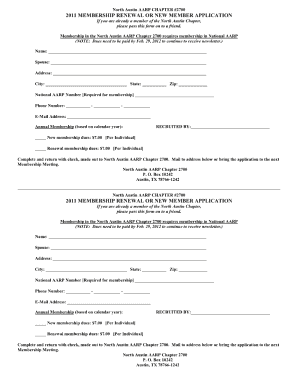
Get Aarp Renewal Fax # Form
How it works
-

Open form follow the instructions
-

Easily sign the form with your finger
-

Send filled & signed form or save
How to fill out the Aarp Renewal Fax # Form online
Completing the Aarp Renewal Fax # Form is a straightforward process that enables users to renew their membership efficiently. This guide provides a step-by-step walkthrough to help users fill out the form online with ease and confidence.
Follow the steps to complete the Aarp Renewal Fax # Form online
- Click ‘Get Form’ button to obtain the form and open it in the editor. This will allow you to access and begin filling out the necessary information quickly.
- In the first section, enter your full name and contact information. Ensure that all details are accurate to avoid any issues with your renewal.
- Provide your membership number, which can usually be found on prior correspondence or your membership card. This is essential for verifying your account.
- Fill in your address details, including street, city, state, and zip code. Confirm that this information is up to date to ensure you receive all correspondence.
- Review any additional sections that require input, such as payment information if applicable. Make sure to enter all necessary details carefully.
- Once all information is thoroughly filled out, review your form for accuracy and completeness to prevent any delays.
- Save your changes, download the completed form, or print it directly from the editor. You may also share it if required.
Complete your documents online today for a hassle-free experience!
AARP does send renewal notices as a reminder to keep your membership current. You will receive notifications well in advance of your renewal date, giving you ample time to review your options. To streamline the process, consider the Aarp Renewal Fax # Form for any adjustments. This way, you can ensure you never miss out on the benefits of your membership.