Loading
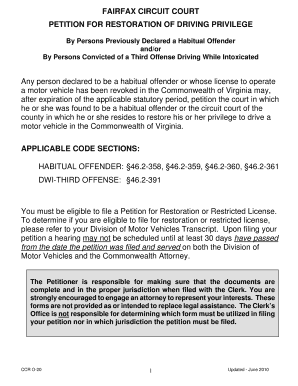
Get Fairfax Circuit Court Application For Restricted License Form
How it works
-

Open form follow the instructions
-

Easily sign the form with your finger
-

Send filled & signed form or save
How to fill out the Fairfax Circuit Court Application For Restricted License Form online
This guide provides clear instructions on how to effectively fill out the Fairfax Circuit Court Application for Restricted License Form online. It is designed to assist users at all levels of legal experience.
Follow the steps to fill out the application form successfully.
- Press the ‘Get Form’ button to gain access to the application form and open it for editing.
- Review the eligibility requirements carefully and ensure you meet them based on your driving history and any required evaluations.
- Complete the personal information section, including your name, contact details, and any relevant identification numbers.
- Fill in the details concerning your driving record and specify the reasons for requesting a restricted license.
- Attach any necessary supporting documents such as your current DMV driving transcript and any evaluations from the Virginia Alcohol Safety Action Program, if applicable.
- Review the entire form to confirm all information is accurate and complete before submission.
- Save your changes, then download and print the completed form for submission.
- Submit the form along with any required fees and supporting documents to the appropriate court, ensuring you keep copies for your records.
Start your application by filling out the Fairfax Circuit Court Application for Restricted License Form online today.
Instant fails in a restricted test refer to critical errors that automatically disqualify you from passing. These can include not following basic road signs, improper lane changes, or failing to obey traffic signals. To avoid these pitfalls, study the requirements and instructions related to the Fairfax Circuit Court Application For Restricted License Form.