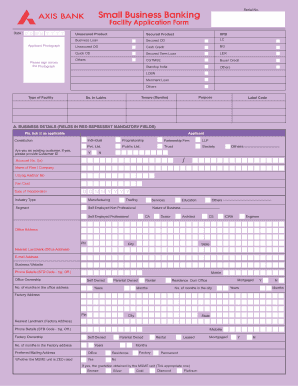
Small Business Banking Unsecured ProductSecured ProductNFBBusiness LoanSecured ODLCUnsecured ODCash CreditBGQuick ODSecured Term LoanLEROthersCGTMSEBuyer CreditStandup IndiaOthersLCBN Merchant Loan Others Type.
Open form follow the instructions
Easily sign the form with your finger
Send filled & signed form or save
How to fill out the Axis Bank Business Loan Application Form Pdf online
Completing the Axis Bank Business Loan Application Form is a crucial step in securing funding for your business. This guide provides a clear and structured approach to filling out the form online, ensuring that users can navigate each section with ease.
Follow the steps to successfully complete the application form.
- Click ‘Get Form’ button to obtain the form and open it for editing.
- Provide your business details in section A. This includes mandatory fields such as your account number, Udyog Aadhar number, PAN card details, and the date of incorporation. Make sure to indicate whether your MSME unit is ZED rated and provide the appropriate gradation.
- In section B, fill in the personal details of the individual applicant or co-applicant. This includes their name, photograph, PAN card, and current address. Ensure to provide the proper relationship with the applicant as well.
- Section C requires you to present financial and income details. Fill in the financial year turnover, profit figures, and estimates for future performance. Be precise, as this information will be vital for your loan assessment.
- In section D, list any existing loans with relevant details such as the bank name, type of loan, account number, and outstanding amounts.
- Section E covers details of any associates or group entities. Include their names, nature of business, and financial performance metrics.
- Complete section F by providing information about your banking details, including the branch name, account number, and duration of the relationship with your bank.
- In section G, acknowledge and confirm compliance with statutory obligations as required. Select 'Yes', 'No', or 'N/A' for each item listed.
- Fill out section H regarding security details for the loan, including types of collateral and their values.
- Complete any additional sections, such as information on subsidies and priority sector categories, in subsequent sections (J and M).
- Finally, review all the information provided and make necessary corrections. Once complete, save the changes, and you can choose to download, print, or share the form as required.
Start completing your documents online today to take the first step towards securing your business loan.
Experience a faster way to fill out and sign forms on the web. Access the most extensive library of templates available.
Related content
Credit Application Experience . ... less accounted for 58.2 percent of all banking organi...
Equity Line of Credit Application Checklist (PDF). HQP-HLF-368 ... Freddie Mac REQUIRED...
May 11, 2010 — recent report on Form 10-K, Form 10-Q and other documents on file with...
Get answers to your most pressing questions about US Legal Forms API.
How to fill Axis Bank service request form?
To fill the Axis Bank service request form, start by downloading the Axis Bank Business Loan Application Form Pdf from their official website. Carefully provide the necessary details, including your personal and business information. Be sure to check that all information is accurate and complete before submitting the form to avoid delays. If you need assistance, consider using uslegalforms to guide you through the process smoothly.
How to fill a bank application form?
Filling a bank application form, such as the Axis Bank Business Loan Application Form Pdf, requires you to collect personal and financial information beforehand. Begin by downloading the form from the bank’s resources and review the guidelines for completion. Input your information clearly and accurately, making sure to double-check your entries. Finally, submit your application following the bank's submission methods.
Can I submit an Axis Bank request form online?
Yes, you can submit the Axis Bank Business Loan Application Form Pdf online. The process is designed to be simple and efficient, allowing you to complete your application from the comfort of your home or office. Just visit the Axis Bank website, fill out the necessary details, and upload your completed form. Online submission saves you time and ensures that your request is processed quickly.
How to register in Axis Bank for loan account?
The registration process involves the following steps: Visit the official website of Axis Bank .axisbank.com. Click on 'Login' and choose the 'Register' link listed under Internet Banking. Enter your 'Login ID'. ... Keep your Customer ID, account number, debit card and registered mobile number handy before you proceed.
What is the range of business loan in Axis Bank?
Axis Bank Business Loan Eligibility Loan AmountRs. 50,000/- to Rs.50,00,000/-TenureMaximum of 36 monthsAxis Bank Business Loan Interest Rate14.50% to 21%Loan Processing ChargesUp to 2% of the loan amount plus taxesPre-payment chargesNot Specified1 more row
What is the CIBIL score for Icici business loan?
CIBIL Score: Bank requires a score of 750 and above to get loan approval. Bank will check your repayment history for all current and past loans and credit cards.
Which CIBIL score is best for business loan?
What is the best cibil score to get a business loan? CIBIL scores can range between 300 and 900, with 900 denoting maximum. A CIBIL score of 700 or above in your credit report is ideal and will help in qualifying you for Business Loan.
What is the minimum cibil score for business loan in Axis Bank?
A minimum CIBIL score of 750 or more is required to fulfill Axis Bank Business Loan eligibility criteria.
What is the minimum CIBIL score for Axis Bank credit card?
Will Axis Bank give me a credit card if I have a low CIBIL score? Well, as mentioned above, the ideal score to apply and avail an Axis Bank credit card is 750. Any score below 750 can make you ineligible to apply for the same.
How can I get Axis Bank loan application ID?
The customer ID is mentioned on the welcome kit that will be sent by Axis Bank to your home address following the approval of your personal loan application. In addition, customers can know their customer ID by sending an SMS "CustID" to 5676782 to the Axis Bank customer care unit.
Use professional pre-built templates to fill in and sign documents online faster. Get access to thousands of forms.
If you believe that this page should be taken down, please follow our DMCA take down process here.