Loading
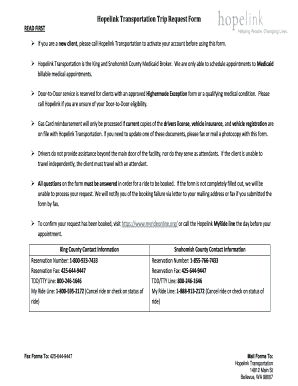
Get Myrideonline
How it works
-

Open form follow the instructions
-

Easily sign the form with your finger
-

Send filled & signed form or save
How to fill out the Myrideonline online
Filling out the Myrideonline form is an essential step for people seeking transportation services via Hopelink. This guide provides clear instructions to help you complete the form accurately and efficiently.
Follow the steps to successfully complete the Myrideonline form.
- Press the ‘Get Form’ button to retrieve the form and open it in your preferred document editor.
- In the Client Information section, enter the required details, including your last name, middle initial, Provider One number, date of birth, first name, and phone number. Indicate the mobility aid used, if any, by checking the appropriate box.
- Proceed to the Trip Information section. Specify whether your request is for a gas card or not, the date of your appointment, appointment time, and return time. Detail the medical reason for your appointment—ensure it is specific.
- Indicate if anyone will accompany you by selecting 'Yes' or 'No' and, if 'Yes', provide the number of people traveling with you. If a car seat is needed, specify the type.
- Complete the Pick Up Information by including your street address, city, and zip code. If applicable, provide your suite number.
- In the Drop Off Information section, enter the facility name and doctor’s name. Include their phone number, address, and suite number.
- Fill out the Requester Information, providing your name, phone number, and fax number. Add any additional comments as needed.
- Finally, check if your trip is booked and provide any Trip IDs. Review the form for completeness, as all questions must be answered to process your request.
- Once you have completed the form, you can save your changes, download it, print it out, or share it as needed.
Complete your Myrideonline form online today for efficient transportation services.
MyRide operates as a comprehensive transportation solution designed to meet a variety of travel requirements. Users can access the platform to book rides for different purposes, including commuting, errands, or healthcare visits. With MyRide, you can expect reliability, ease of use, and multiple options suited to your unique needs.