Loading
Get Fillable Cba Rent Rider
How it works
-

Open form follow the instructions
-

Easily sign the form with your finger
-

Send filled & signed form or save
How to fill out the Fillable Cba Rent Rider online
Filling out the Fillable Cba Rent Rider online can be a straightforward process when approached step-by-step. This guide is designed to help users understand each section of the form, ensuring accurate and complete entries suitable for their leasing needs.
Follow the steps to effectively complete the Fillable Cba Rent Rider online:
- Press the ‘Get Form’ button to access the Fillable Cba Rent Rider. This action will enable you to obtain the form in an editable format.
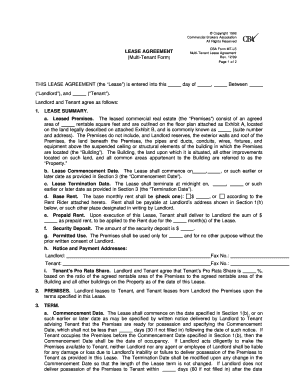
- Begin with the section labeled 'Lease Summary'. Here, carefully provide information regarding the leased premises, including the area in rentable square feet as referenced in the attached floor plan.
- Indicate the lease commencement date, ensuring it aligns with the agreed start of your lease.
- Enter the termination date, specifying when the lease will end, following your negotiations or agreements with the landlord.
- In the base rent section, select an option and provide the base monthly rent amount or detail the rent rider that applies to your lease.
- Fill out the prepaid rent field, inputting any sums forwarded to the landlord as part of your lease agreement.
- Securely enter the amount designated for the security deposit.
- Clarify the permitted use of the premises per your agreement. This should align with the intended purpose of the leased space.
- Provide contact information for the landlord and tenant, including fax numbers for effective communication.
- Calculate the tenant's pro rata share of the property, including any ratio necessary for your lease agreement.
- After completing all sections, review the form for accuracy and save changes. Finally, consider downloading, printing, or sharing the completed form as needed.
Complete your documents online today for a seamless leasing experience!
Filling out a receipt for rent requires you to include the date, tenant name, property address, and the amount received. Specify the rental period and ensure you have a signature to validate the receipt. Employing a Fillable Cba Rent Rider can ease this process, allowing for efficient documentation.