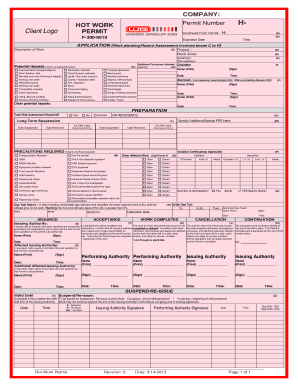
Get Ptw Image Form
How it works
-

Open form follow the instructions
-

Easily sign the form with your finger
-

Send filled & signed form or save
How to fill out the Ptw Image Form online
Filling out the Ptw Image Form online is essential for ensuring safety during hot work operations. This guide will walk you through the necessary steps to complete the form accurately and efficiently.
Follow the steps to successfully complete the Ptw Image Form online.
- Click the ‘Get Form’ button to access the Ptw Image Form and open it for editing.
- Enter the permit number in the designated field, ensuring it is accurate for your record-keeping.
- Fill in the expiration date, ensuring it reflects the correct timeframe for the permit.
- In the application section, describe the work being performed in detail, providing clear information on potential hazards.
- Review and check all applicable potential hazards listed in boxes C to H. Mark each relevant hazard encountered during the work.
- Complete the fields for personnel involved in the work, including names and signatures for both approval and acknowledgment.
- Confirm any required precautions for the planned work by checking the required boxes and including any specific personal protective equipment (PPE) needed.
- Review all entries to ensure accuracy, then save your changes, download a copy of the completed form, and print or share it as necessary.
Complete your forms online to ensure a safe and compliant work environment.
To open an ECW image, you can use specialized software designed for geographic information systems or image editing tools that support this format. Many users find that the PTW Image Form can streamline the process, making it easier to manage and convert ECW images. You may want to explore our US Legal Forms platform for additional guidance and tools to help you with this file type. With the right resources, accessing and working with your ECW images can become a seamless experience.
Industry-leading security and compliance
-
In businnes since 199725+ years providing professional legal documents.
-
Accredited businessGuarantees that a business meets BBB accreditation standards in the US and Canada.
-
Secured by BraintreeValidated Level 1 PCI DSS compliant payment gateway that accepts most major credit and debit card brands from across the globe.