Loading
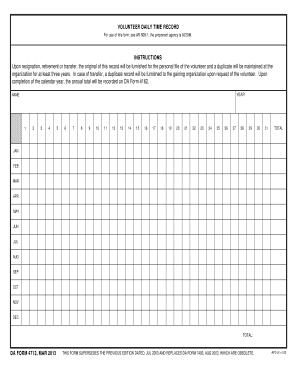
Get Da Form 4713
How it works
-

Open form follow the instructions
-

Easily sign the form with your finger
-

Send filled & signed form or save
How to fill out the DA Form 4713 online
The DA Form 4713, also known as the Volunteer Daily Time Record, is an essential document for tracking volunteer hours. This guide provides a clear and supportive walkthrough for filling out the form online, ensuring all users can easily complete it.
Follow the steps to effectively complete the DA Form 4713 online.
- Click ‘Get Form’ button to access the form and open it in the editor.
- In the 'YEAR' field, enter the year for which you are recording volunteer time.
- In the 'NAME' field, provide your full name as the volunteer.
- For each month, record the total volunteer hours for every day in a separate box under the corresponding month.
- At the bottom of each month's section, ensure you total the hours recorded for that month.
- Once all fields have been filled out, review the form for accuracy and completeness.
- You can then save changes, download, print, or share the completed form as needed.
Complete your paperwork efficiently by filling out the DA Form 4713 online today.
To officially log volunteer hours, you typically need to complete DA Form 4240 and submit it to your unit's volunteer coordinator. This process ensures your contributions are recognized and recorded properly. Understanding forms like DA Form 4713 helps streamline the procedure and ensures your volunteer service counts towards your professional development.