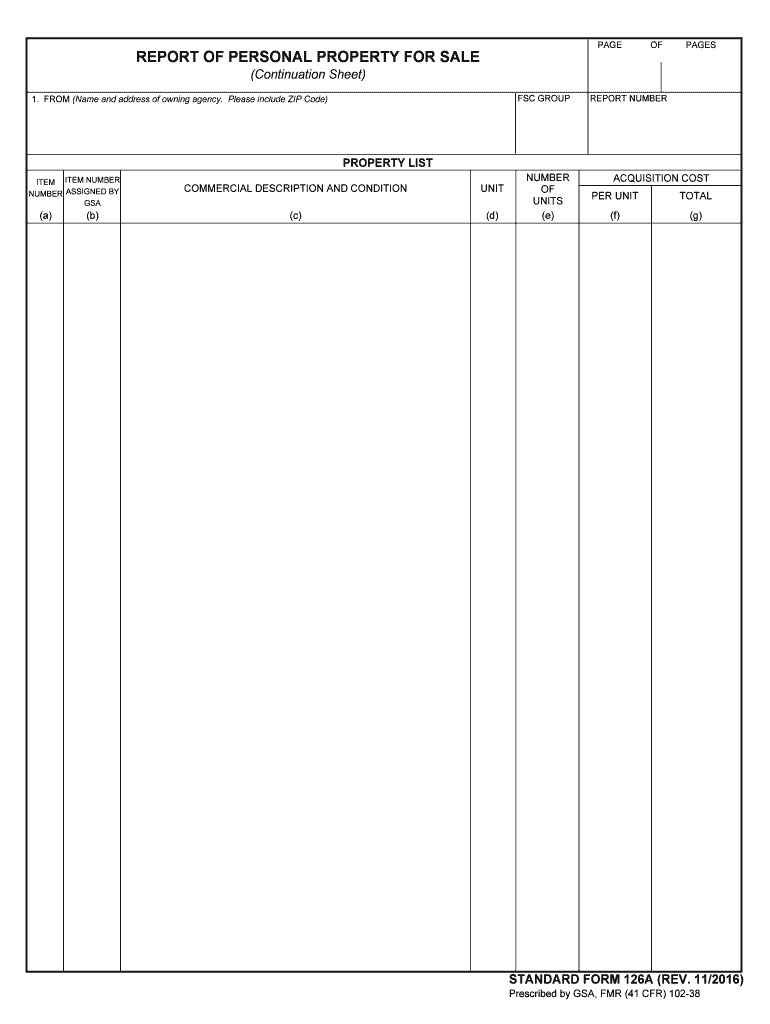
(a) (b) COMMERCIAL DESCRIPTION AND CONDITION UNIT (c) (d) NUMBER OF UNITS (e) REPORT NUMBER ACQUISITION COST PER UNIT TOTAL (f) (g) STANDARD FORM 126A (REV. 11/2016) Prescribed by GSA, FMR (41 CFR) 102-38.
Loading

Open form follow the instructions

Easily sign the form with your finger

Send filled & signed form or save
How to fill out the GSA SF 126A online
The GSA SF 126A is a crucial form for reporting personal property for sale. Completing it accurately ensures that all relevant property details are recorded effectively. This guide will provide you with step-by-step instructions to fill out the form online.
Follow the steps to accurately complete the GSA SF 126A.
- Click ‘Get Form’ button to obtain the form and open it in your preferred online editor.
- In the 'FROM' section, input the name and address of the owning agency, ensuring to include the ZIP code for accuracy.
- Move to the 'PROPERTY LIST' section. Here, provide detailed information about each item being reported. Use 'ITEM NUMBER' to reference the number assigned by the GSA.
- Fill in the 'COMMERCIAL DESCRIPTION AND CONDITION' of each item. This includes a brief overview of its current state and any relevant specifications.
- Indicate the 'UNIT' type for each item, specifying whether it is a piece of equipment, a vehicle, or another category.
- In the 'NUMBER OF UNITS' section, enter the total number of each item being reported to clarify the quantity available.
- Complete the 'ACQUISITION COST PER UNIT' to reflect the original cost of each item, ensuring accuracy to avoid discrepancies.
- Finally, review all entries for completeness and correctness. Once satisfied, you can save changes, download, print, or share the form as needed.
Complete your GSA SF 126A online today for efficient property reporting.
Experience a faster way to fill out and sign forms on the web. Access the most extensive library of templates available.
Related content
Aug 17, 2017 — Information. Form Number: SF126; Current Revision Date: 11/2016;...
SF 126, Report of Personal Property for Sale. SF 126A, Report of Personal Property for...
Get answers to your most pressing questions about US Legal Forms API.
What are the different types of GSA?
There are several types of GSA schedules, including the Multiple Award Schedule (MAS) and the GSA Professional Services Schedule. Each type serves a specific purpose and caters to different sectors within government purchasing. Understanding these distinctions is vital for aligning your offerings with the appropriate GSA schedule. The GSA SF 126A can help clarify which schedule suits your business best.
How to obtain a GSA number?
To obtain a GSA number, you need to complete a few key steps. Start by registering your business in SAM and then apply for a GSA schedule that suits your offerings. Following this, you will receive your GSA number once you meet all necessary requirements. Platforms like USLegalForms can simplify this process and provide essential forms needed for your application.
How do I get a GSA FAS ID?
To obtain a GSA FAS ID, you must first register in the System for Award Management (SAM) website. After completing your registration, you can apply for a GSA schedule, which will lead to your GSA FAS ID being issued. This ID is essential for conducting business within the GSA framework. If you need assistance, consider using USLegalForms for clear and concise guidance.
What products can be sold via GSA?
The GSA allows a variety of products to be sold, including office supplies, furniture, IT equipment, and professional services. Providers need to ensure their offerings meet the requirements laid out in the GSA SF 126A. This ensures that only high-quality goods are available for government purchasing. For a complete overview of eligible products, you can refer to the GSA’s official resources.
What are the other names for GSA?
Other names for the GSA may include General Services Administration or simply 'the agency.' While these titles are commonly used, they all refer to the same entity tasked with streamlining government operations. When dealing with GSA SF 126A matters, it’s essential to recognize the agency's role in supporting federal procurement.
What are the major functions of the GSA?
The major functions of the GSA include managing government property, enhancing procurement efficiency, and providing support services to agencies. This agency aims to improve the productivity of federal operations, ensuring taxpayers receive good value. Knowing these functions can aid you in leveraging the GSA SF 126A for your business.
What is another name for the GSA?
Another common name for the GSA is the General Services Administration. This agency plays a vital role in managing government resources and ensuring that public sector procurement is handled transparently and efficiently. Understanding the GSA, particularly in connection with the GSA SF 126A, can be beneficial for businesses looking to engage with federal contracts.
How to post an RFI on GSA?
To post a Request for Information (RFI) on GSA, you should start by utilizing the GSA eBuy platform. This online tool allows you to reach out to potential vendors efficiently. Clearly outline your requirements and ensure that all details align with GSA SF 126A guidelines to attract the right responses from qualified suppliers.
What are the three types of GSA?
The three main types of GSA are the General Services Administration, which oversees government procurement, the GSA schedules that enable streamlined purchasing, and the GSA auctions for surplus government property. Each type serves a specific purpose in making government operations more efficient and transparent. Familiarizing yourself with these types can help you navigate the GSA SF 126A process more effectively.
Why is the US government GSA calling me?
If you receive a call from the GSA, it may relate to your involvement with government contracts or vendor applications. The GSA often contacts individuals or businesses to clarify information about submissions or to discuss opportunities related to the GSA SF 126A. Understanding this process can help you prepare for any inquiries or requests for additional information.
Use professional pre-built templates to fill in and sign documents online faster. Get access to thousands of forms.
If you believe that this page should be taken down, please follow our DMCA take down process here.