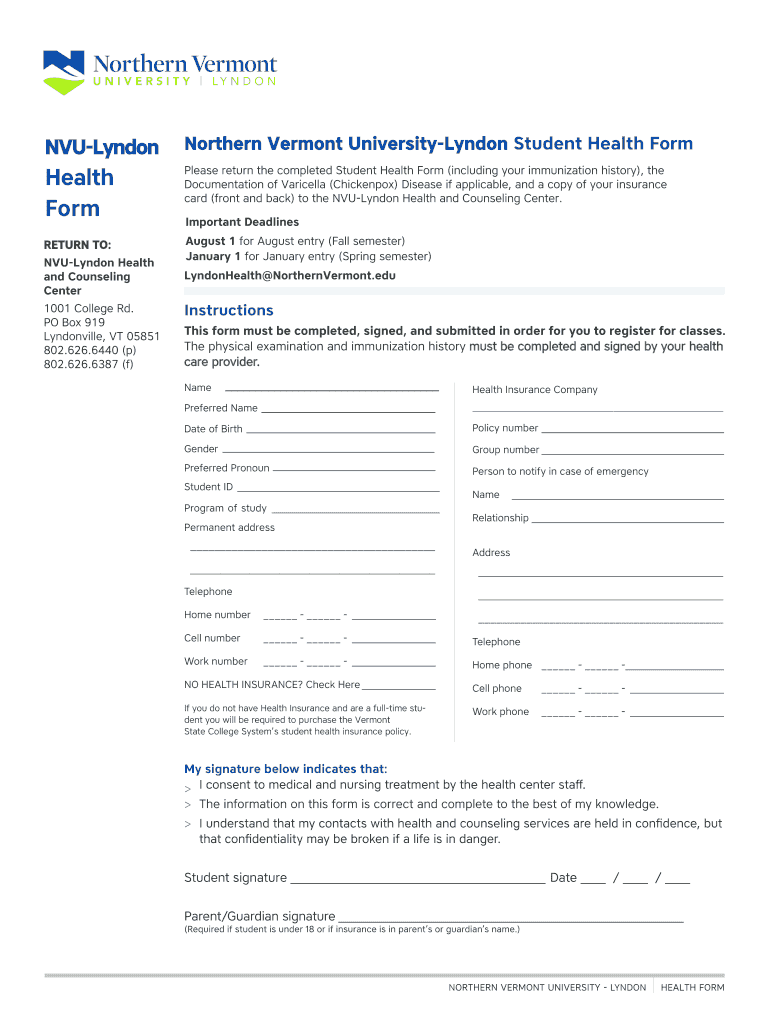
NVULyndonNoHealth FormPlease return the completed Student Health Form (including your immunization history), the Documentation of Varicella (Chickenpox) Disease if applicable, and a copy of your insurance card.
Loading

Open form follow the instructions

Easily sign the form with your finger

Send filled & signed form or save
How to fill out the NVU Lyndon Student Health Form online
Completing the NVU Lyndon Student Health Form online is an essential step for students enrolling at the college. This guide provides a clear, step-by-step approach to ensure you submit a complete and accurate health form, including all necessary information regarding your health history and immunizations.
Follow the steps to successfully complete the NVU Lyndon Student Health Form online.
- Press the ‘Get Form’ button to access the NVU Lyndon Student Health Form and open it in your preferred document editor.
- Begin by filling out your basic information. This includes your full name, date of birth, and preferred name. Ensure all details are accurate to avoid registration issues.
- Enter your health insurance information, including the name of your health insurance company, policy number, and group number, if applicable. If you do not have health insurance, check the appropriate box.
- Provide emergency contact details, including the name and relationship of the person to notify in case of an emergency, along with their phone number.
- Complete the Student Medical History section by answering questions about your medication, allergies, and any previous hospitalizations or counseling history. Be honest and thorough in your responses.
- Fill out the Family History section by indicating any medical issues that run in your family, such as diabetes or heart disease.
- If required, have your healthcare provider complete the Physical Form section. Ensure they document their findings and sign the form.
- Include the Vaccines and Immunizations section, where your healthcare provider will verify your immunization records. Make sure this has been filled out correctly according to Vermont state requirements.
- Once all sections are complete, review your information for accuracy, ensuring all necessary signatures are obtained.
- Finally, save any changes made to the form. You can choose to download, print, or share the completed form as required.
Complete your NVU Lyndon Student Health Form online today to ensure a smooth registration process.
Experience a faster way to fill out and sign forms on the web. Access the most extensive library of templates available.
Related content
Sep 26, 2016 — "Lyndon, Johnson Will Seek and Accept a New Term as Northern Vermont...
The physical examination and immunization history must be completed and signed by your...
Get answers to your most pressing questions about US Legal Forms API.
How to get health forms for college?
To obtain the NVU Lyndon Student Health Form, you can start by visiting your college’s health services website. This form is typically available for download, ensuring easy access for all students. Additionally, you can contact the admissions office or the student health center directly for assistance. They can guide you through the process and provide any necessary information you might need.
Use professional pre-built templates to fill in and sign documents online faster. Get access to thousands of forms.
If you believe that this page should be taken down, please follow our DMCA take down process here.