Loading
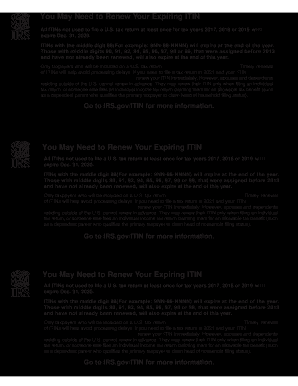
Get Irs Publication 5256 (en-sp) 2020-2026
This website is not affiliated with IRS
How it works
-

Open form follow the instructions
-

Easily sign the form with your finger
-

Send filled & signed form or save
How to fill out the IRS Publication 5256 (EN-SP) online
Filling out the IRS Publication 5256 (EN-SP) online can simplify the process of renewing your Individual Taxpayer Identification Number (ITIN). This guide provides clear, step-by-step instructions for users of all experience levels.
Follow the steps to successfully complete the form online.
- Click ‘Get Form’ button to obtain the IRS Publication 5256 (EN-SP) and open it in your preferred PDF editor.
- Carefully review the introductory information in the document to understand the requirements for ITIN renewal.
- Fill in your personal information as requested, ensuring accuracy with names, addresses, and ITIN numbers.
- If applicable, indicate if you are renewing an ITIN for a spouse or dependent, ensuring to provide their details as required.
- Follow the specific instructions on the form regarding which sections to complete based on your situation—this may include confirming your eligibility for renewal.
- Review all the information entered for accuracy and completeness before finalizing the form.
- Once all fields are filled out and double-checked, you can save the changes, download, print, or share the completed form as directed.
Start the process of filling out your IRS Publication 5256 (EN-SP) online today!
In certain situations, you may enter your ITIN instead of your SSN, particularly if you do not have an SSN. However, it is important to understand that having an SSN is generally preferable for tax filings and other official purposes. Always verify the requirements for your specific situation, and consult IRS Publication 5256 (EN-SP) for comprehensive guidance.