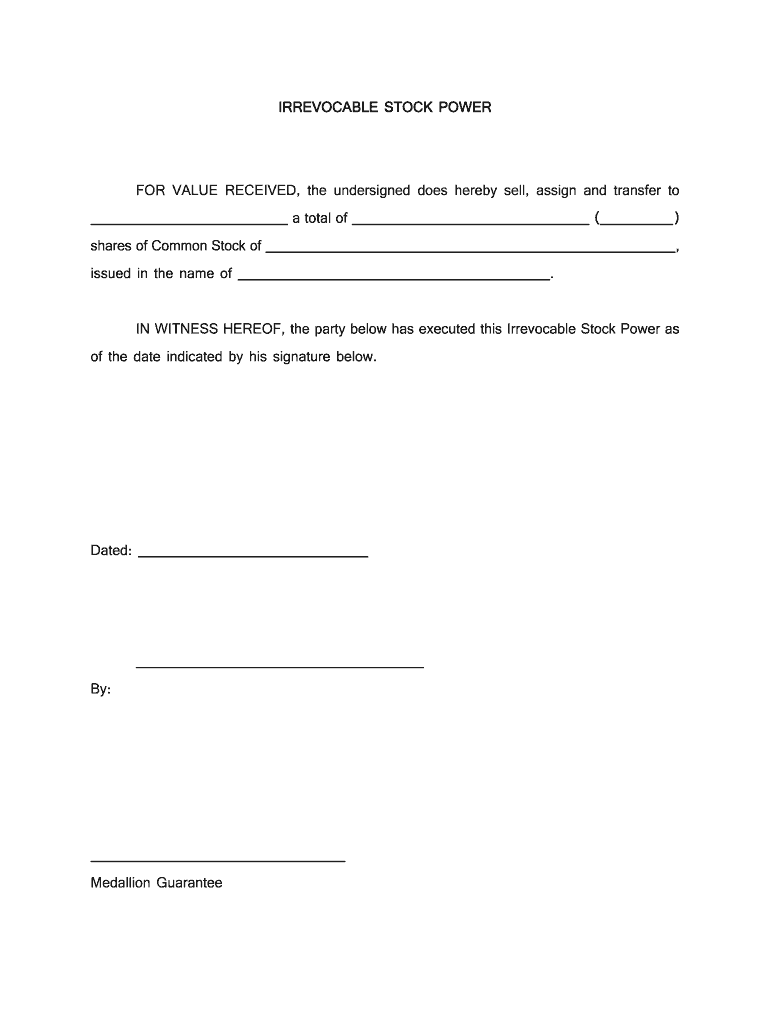
Stock of , issued in the name of . IN WITNESS HEREOF, the party below has executed this Irrevocable Stock Power as of the date indicated by his signature below. Dated: By: Medallion Guarantee.
Loading

Open form follow the instructions

Easily sign the form with your finger

Send filled & signed form or save
How to fill out the Blank Stock Power Form online
Filling out the Blank Stock Power Form online can seem daunting, but with clear guidance, you can complete it with confidence. This document is essential for transferring ownership of stock shares and streamlining the process.
Follow the steps to successfully complete the Blank Stock Power Form online.
- Press the ‘Get Form’ button to obtain the Blank Stock Power Form and open it for editing.
- In the first section, enter the name of the person or entity receiving the stock. This will be the assignee.
- Next, fill in the total number of shares being transferred in the designated space.
- Specify the company whose shares are being transferred by writing the full name of the company.
- In the next field, write the name of the current stockholder, who is assigning their stock rights.
- Indicate the date of the transaction in the provided space.
- The current stockholder should sign the form at the designated signature line to validate the document.
- Obtain a Medallion Guarantee, if required, by having a financial institution verify your signature.
- Once all fields are completed, review the information for accuracy, then save your changes and download the form for printing or sharing.
Start completing the Blank Stock Power Form online now to transfer your stock ownership smoothly.
Experience a faster way to fill out and sign forms on the web. Access the most extensive library of templates available.
Related content
Irrevocable Stock Power for value received, the below signed limited liability company...
1) Keep the stock power blank, except for date and signature(s). 2) Sign name(s) exactly...
Nov 9, 2020 — Explanation of Responses: (1) This transaction was effected pursuant to a...
Get answers to your most pressing questions about US Legal Forms API.
How do you fill out a stock certificate?
Filling out a stock certificate involves entering key details such as the shareholder's name, the number of shares, and the name of the corporation. Ensure all information is accurate and legible. If you are planning on transferring shares, complement your stock certificate with a Blank Stock Power Form for a seamless transfer process.
How to fill out a stock power form?
When filling out a stock power form, begin with the names of the current owner and the new owner. Clearly specify the shares being transferred, and ensure all required signatures are present. Utilizing a Blank Stock Power Form streamlines the process, making it straightforward to complete your stock transfer accurately.
How to file a share transfer form?
To file a share transfer form, you will fill out a Blank Stock Power Form and include all necessary details about the transaction. You must also gather any additional documentation required by your brokerage or transfer agent. Once everything is in order, submit your completed form for processing.
How to fill in a J30 stock transfer form?
Filling in a J30 stock transfer form requires basic information about the shares being transferred. Begin by completing the details about the transferor and transferee, then specify the number of shares being moved. If needed, a Blank Stock Power Form can serve as a useful supplement to ensure accuracy in your transfer.
Does a stock transfer form need to be filed at Companies House?
Generally, a stock transfer form does not need to be filed at Companies House, as this is more relevant for formal registrations of changes in company ownership. However, it is essential to keep your records up to date, so ensuring the transaction is logged is crucial. Using a Blank Stock Power Form can simplify your record-keeping.
How to make a stock transfer?
To make a stock transfer, start by completing a Blank Stock Power Form. This form requires details like the name of the transferor, the transferee, and the number of shares being transferred. After you fill out the form, submit it to the relevant stock issuer or brokerage for processing.
How to file a stock transfer form?
Filing a stock transfer form usually involves filling out the necessary details on a Blank Stock Power Form. You need to provide information about the stock being transferred, the parties involved, and any specific instructions. Once you complete the form, submit it to the appropriate entity, such as a transfer agent or your brokerage.
How do you transfer stock to someone else?
To transfer stock to someone else, you typically need to complete a Blank Stock Power Form. This document authorizes the transfer of shares from one person to another. Once filled out, you should submit it along with any required documentation to the stock issuer or your brokerage.
How to fill out the stock transfer form?
To fill out a stock transfer form, provide the necessary information, including the names of both parties involved, the stock certificate number, and the number of shares being transferred. Ensure that both parties sign the form to legitimize the transfer. Using a Blank Stock Power Form efficiently captures this information and supports a clear transfer process.
How to fill out a stock transfer ledger?
Filling out a stock transfer ledger involves recording details such as the date of transfer, the names of both the seller and buyer, and the number of shares involved. Keeping this ledger updated ensures clarity and transparency in share transactions. Don’t forget that a Blank Stock Power Form can assist in documenting these transfers seamlessly.
Use professional pre-built templates to fill in and sign documents online faster. Get access to thousands of forms.
If you believe that this page should be taken down, please follow our DMCA take down process here.