Loading
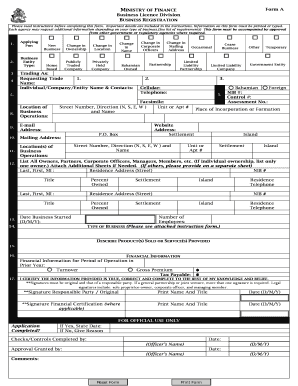
Get Business Registration Form A - The Government Of The Bahamas - Forms Bahamas Gov
How it works
-

Open form follow the instructions
-

Easily sign the form with your finger
-

Send filled & signed form or save
How to fill out the Business Registration Form A - The Government Of The Bahamas - Forms Bahamas Gov online
Filling out the Business Registration Form A is a crucial step for anyone looking to register a business in The Bahamas. This guide will provide you with clear, step-by-step instructions to ensure that you successfully complete the form online, gathering all the necessary information to avoid any delays in processing.
Follow the steps to successfully complete the Business Registration Form A online.
- Click ‘Get Form’ button to obtain the form and open it in the editor.
- Identify the type of application you are submitting. Choose from options such as 'New Business', 'Change in Ownership', or 'Cease Business'. This sets the context for your application.
- Enter your business name under 'Trading As'. This is the name under which your business will operate and be recognized publicly.
- Fill in the 'Requesting Trade Name' section by providing three potential business names in order of preference.
- In the 'Individual/Company/Entity Name' section, enter your name as registered with the relevant authorities.
- Indicate your status as either 'Bahamian' or 'Foreign' and provide your National Insurance and Assessment Numbers as required.
- Complete the 'Location of Business Operations' field, detailing your business's physical address including any necessary suite or apartment numbers.
- List all owners, partners, corporate officers, and members, along with their respective titles and the percentage of ownership in the business. Use additional sheets if necessary.
- Specify the type of business activities you will be engaged in by selecting from the provided options, such as service, retail, or manufacturing.
- In the section labeled 'Describe Product(s) Sold or Service(s) Provided', give a detailed account of the business's offerings.
- Provide financial information for the prior year, including turnover and tax payable amounts.
- Sign the form in the designated areas, ensuring that all signatures are original. Include the date and print the names of all responsible parties.
- Review the completed form for accuracy, save changes, and finalize preparations for your submission. Once everything is thoroughly reviewed, you will have options to download, print, or share the form as necessary.
Begin your registration process online by completing the Business Registration Form A today!
To register a business in The Bahamas, you must submit the Business Registration Form A - The Government Of The Bahamas - Forms Bahamas Gov. This form requires essential details about your business, such as its name and structure. You may also need to provide additional documentation, depending on your business type.
Industry-leading security and compliance
US Legal Forms protects your data by complying with industry-specific security standards.
-
In businnes since 199725+ years providing professional legal documents.
-
Accredited businessGuarantees that a business meets BBB accreditation standards in the US and Canada.
-
Secured by BraintreeValidated Level 1 PCI DSS compliant payment gateway that accepts most major credit and debit card brands from across the globe.