Loading
Get Srs22 Patient Questionnaire - Eurospine
How it works
-

Open form follow the instructions
-

Easily sign the form with your finger
-

Send filled & signed form or save
How to fill out the SRS22 Patient Questionnaire - Eurospine online
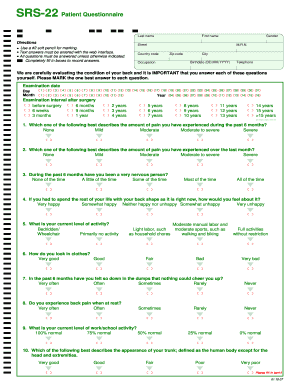
The SRS22 Patient Questionnaire - Eurospine is a crucial tool designed to evaluate back conditions. Completing this form accurately is essential for effective assessment and management of your back health.
Follow the steps to fill out the questionnaire with ease.
- Click ‘Get Form’ button to obtain the questionnaire and open it in your preferred editing interface.
- Begin by entering your last name, first name, and date of birth in the specified fields. Ensure accuracy as this information is vital for your record.
- Fill in your contact information, including your address, city, zip code, country code, and telephone number to facilitate communication.
- Mark the examination date and specify the interval after surgery if applicable. Be precise in selecting the correct options provided.
- Proceed to answer each questionnaire item by selecting the option that best represents your experience over the past six months. Remember to mark only one answer per question.
- After completing all required fields, you can review your answers for completeness and accuracy.
- Once satisfied with your responses, you can save your changes, download the completed form, print it for your records, or share it with your healthcare provider.
Complete the SRS22 Patient Questionnaire - Eurospine online today for a thorough assessment of your back health.
Creating a patient questionnaire involves several key steps. First, identify the specific information you want to gather related to the SRS22 Patient Questionnaire - Eurospine. Next, formulate clear and concise questions that allow easy responses, ensuring the questionnaire is user-friendly. Finally, test the questionnaire with a small group to refine the questions before deploying it for broader use.