We use cookies to improve security, personalize the user experience, enhance our marketing activities (including cooperating with our marketing partners) and for other business use.
Click "here" to read our Cookie Policy. By clicking "Accept" you agree to the use of cookies. Read less
Read more
Accept
Loading
Form preview
  • US Legal Forms
  • Form Library
  • More Forms
  • More Multi-State Forms
  • Co2calc

Get Co2calc

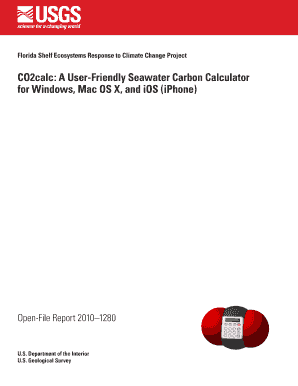
Florida Shelf Ecosystems Response to Climate Change Project CO2calc: A User-Friendly Seawater Carbon Calculator for Windows, Mac OS X, and iOS (iPhone) Open-File Report 2010 1280 U.S. Department of.

How it works

  1. Open form

    Open form follow the instructions

  2. Easily sign form

    Easily sign the form with your finger

  3. Share form

    Send filled & signed form or save

How to fill out the CO2calc online

This guide provides a comprehensive overview of how to fill out the CO2calc online. Follow these steps to navigate the sections and fields effectively, ensuring accurate data entry for your seawater carbon calculations.

Follow the steps to successfully fill out CO2calc online.

  1. Press the ‘Get Form’ button to obtain the CO2calc form, then open it in your preferred editor.
  2. Input your sample information in the designated fields, including a sample name, comments, date, time, and geographic coordinates if applicable. You can use the 'get' buttons for automatic date and time retrieval.
  3. Navigate to the Input tab where you will fill in various data fields. Ensure to input data under categories such as Physical Data, Nutrient Data, Adjusted Conditions, and Carbonate Data. Remember, you must provide two of the five carbonate parameters (total alkalinity, total carbon dioxide, pH, fugacity of carbon dioxide, or partial pressure of carbon dioxide).
  4. Select the constants, scales, and units necessary for your calculations by clicking on the appropriate menus. This includes options like dissociation constants, pH scales, or gas transfer velocity. These selections will be saved for future use.
  5. Review your inputs for accuracy. Click the 'Process' button to calculate your results. If there are any errors or missing data, an error message will prompt you to make corrections.
  6. Once processing is complete, view your results in the Results tab. Results are displayed for both input conditions and any adjusted conditions you specified.
  7. To save, download, print, or share your calculations, utilize the provided options such as the 'Record' checkbox to log your data into a file or converting CSV files into KML/KMZ for use in mapping applications.

Start completing your CO2calc documents online to ensure precise seawater carbon calculations.

Get form

Experience a faster way to fill out and sign forms on the web. Access the most extensive library of templates available.
Get form

Related content

CO2calc: A User-Friendly Seawater Carbon...
Dec 13, 2010 — Petersburg, FL, is intended as a follow-on to CO2SYS, originally...
Learn more
CO2calc: A User-Friendly Seawater Carbon...
CO2calc: A User-Friendly Seawater Carbon Calculator for Windows, Mac OS X, and iOS...
Learn more

Related links form

The Poclain Hydrostatic Transmission For An Affordable Brothel Licence Application - Prostitution Licensing Authority City Of Oakland Obstruction Permit D800: Claim For Travelling Expenses - DVA

Questions & Answers

Get answers to your most pressing questions about US Legal Forms API.

Contact support

To get the grams of CO2, measure the volume of the gas produced and use the ideal gas law to compute weight. Alternatively, you can determine the grams of CO2 by considering the source of emissions and its carbon content. Co2calc provides tools to help in accurately determining and managing these calculations.

Converting CO2 to calcium carbonate involves a series of chemical reactions that include capturing CO2 and combining it with calcium. The process can vary depending on the equipment and chemicals used. With Co2calc, you have access to guides and calculations that help you navigate this conversion seamlessly.

You can calculate CO2 emissions by using specific formulas that incorporate the amount of fossil fuels burned or other carbon sources. This involves measuring the weight of the fuel and applying standard conversion factors. Using Co2calc simplifies this process, allowing you to efficiently calculate your carbon footprint.

Calcium carbonate, or CaCO3, can be obtained naturally by mining limestone deposits or manufactured through chemical processes. It is usually created through the reaction of carbon dioxide with calcium hydroxide. The Co2calc tools can help you analyze and ensure precise measurements when working with these materials.

Turning CO2 into limestone involves combining carbon dioxide with calcium compounds, such as quicklime or hydrated lime. During this process, CO2 reacts with the calcium to form solid cement-like limestone or calcium carbonate. Utilizing Co2calc can assist you in managing this conversion process efficiently and accurately.

To make calcium carbonate from CO2, you can capture CO2 emissions and combine them with calcium sources like lime. This process typically involves carbonation reactions that produce CaCO3. Using the Co2calc tools on the US Legal Forms platform can help simplify and streamline this procedure, making it easier to achieve effective results.

To work out the CO to CO2 ratio, you can begin by measuring the concentrations of each gas in your environment. Once you have these measurements, simply divide the concentration of CO by that of CO2. Using Co2calc can streamline this process, providing you with reliable data that supports both safety and efficiency in various applications.

To find the carbon (C) content in CO2, you can use the molecular weight of CO2, which is 44 g/mol. Since there is one carbon atom in each molecule of CO2, the carbon content is approximately 12 grams from the 44 grams of CO2. Tools like Co2calc can assist in this calculation, aiding in more significant analyses of carbon footprints.

To calculate the carbon to oxygen (c/o) ratio, divide the amount of carbon by the amount of oxygen in your sample. This ratio is crucial for understanding combustion efficiency and can influence overall emissions. Using tools such as Co2calc can help streamline this calculation, ensuring precision in your environmental assessments.

Calculating CO2 typically involves using the formula CO2 concentration = (mass of CO2 / volume of gas) x 100. This calculation is often used in environmental studies and emissions assessments. Tools like Co2calc simplify the process, providing accurate calculations that help you understand your carbon footprint and make better environmental decisions.

Get This Form Now!

Use professional pre-built templates to fill in and sign documents online faster. Get access to thousands of forms.
Get form
If you believe that this page should be taken down, please follow our DMCA take down processhere.

Industry-leading security and compliance

US Legal Forms protects your data by complying with industry-specific security standards.
  • In businnes since 1997
    25+ years providing professional legal documents.
  • Accredited business
    Guarantees that a business meets BBB accreditation standards in the US and Canada.
  • Secured by Braintree
    Validated Level 1 PCI DSS compliant payment gateway that accepts most major credit and debit card brands from across the globe.
Get Co2calc
Get form
Form Packages
Adoption
Bankruptcy
Contractors
Divorce
Home Sales
Employment
Identity Theft
Incorporation
Landlord Tenant
Living Trust
Name Change
Personal Planning
Small Business
Wills & Estates
Packages A-Z
Form Categories
Affidavits
Bankruptcy
Bill of Sale
Corporate - LLC
Divorce
Employment
Identity Theft
Internet Technology
Landlord Tenant
Living Wills
Name Change
Power of Attorney
Real Estate
Small Estates
Wills
All Forms
Forms A-Z
Form Library
Customer Service
Terms of Service
Privacy Notice
Legal Hub
Content Takedown Policy
Bug Bounty Program
About Us
Blog
Affiliates
Contact Us
Delete My Account
Site Map
Industries
Forms in Spanish
Localized Forms
State-specific Forms
Forms Kit
Legal Guides
Real Estate Handbook
All Guides
Prepared for You
Notarize
Incorporation services
Our Customers
For Consumers
For Small Business
For Attorneys
Our Sites
US Legal Forms
USLegal
FormsPass
pdfFiller
signNow
airSlate WorkFlow
DocHub
Instapage
Social Media
Call us now toll free:
+1 833 426 79 33
As seen in:
  • USA Today logo picture
  • CBC News logo picture
  • LA Times logo picture
  • The Washington Post logo picture
  • AP logo picture
  • Forbes logo picture
© Copyright 1997-2025
airSlate Legal Forms, Inc.
3720 Flowood Dr, Flowood, Mississippi 39232
Form Packages
Adoption
Bankruptcy
Contractors
Divorce
Home Sales
Employment
Identity Theft
Incorporation
Landlord Tenant
Living Trust
Name Change
Personal Planning
Small Business
Wills & Estates
Packages A-Z
Form Categories
Affidavits
Bankruptcy
Bill of Sale
Corporate - LLC
Divorce
Employment
Identity Theft
Internet Technology
Landlord Tenant
Living Wills
Name Change
Power of Attorney
Real Estate
Small Estates
Wills
All Forms
Forms A-Z
Form Library
Customer Service
Terms of Service
Privacy Notice
Legal Hub
Content Takedown Policy
Bug Bounty Program
About Us
Blog
Affiliates
Contact Us
Delete My Account
Site Map
Industries
Forms in Spanish
Localized Forms
State-specific Forms
Forms Kit
Legal Guides
Real Estate Handbook
All Guides
Prepared for You
Notarize
Incorporation services
Our Customers
For Consumers
For Small Business
For Attorneys
Our Sites
US Legal Forms
USLegal
FormsPass
pdfFiller
signNow
airSlate WorkFlow
DocHub
Instapage
Social Media
Call us now toll free:
+1 833 426 79 33
As seen in:
  • USA Today logo picture
  • CBC News logo picture
  • LA Times logo picture
  • The Washington Post logo picture
  • AP logo picture
  • Forbes logo picture
© Copyright 1997-2025
airSlate Legal Forms, Inc.
3720 Flowood Dr, Flowood, Mississippi 39232