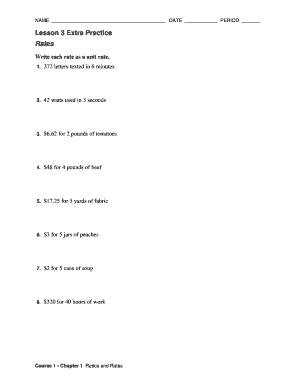
Get Lesson 3 Extra Practice Rates
How it works
-

Open form follow the instructions
-

Easily sign the form with your finger
-

Send filled & signed form or save
How to fill out the Lesson 3 Extra Practice Rates online
This guide provides clear instructions for completing the Lesson 3 Extra Practice Rates form online. Follow these steps to accurately fill out each section of the form and ensure that you can submit your responses correctly.
Follow the steps to complete your form successfully.
- Press the ‘Get Form’ button to access the document and open it for editing.
- Begin by entering your name in the designated space at the top of the form. Make sure to provide your full name.
- Next, include the current date in the space provided. Ensure that the date is entered in the format specified.
- Indicate your period by writing the corresponding period number in the appropriate field.
- For each rate listed in the form, calculate the unit rate based on the values provided. Follow the example structure:examine the number of letters, watts, or dollar amounts and divide accordingly.
- Double-check each calculation to confirm accuracy, ensuring that each unit rate is written clearly.
- Once all fields are filled out completely, review the form for any errors or missing information.
- Finally, save your changes, and choose your preferred option to download, print, or share your completed form.
Complete your documents online to streamline your learning process.
Yes, if you consider '3 questions for each lesson' as a ratio representing the number of questions per lesson, it can be viewed as a unit rate. However, it primarily conveys a fixed number rather than a per-unit comparison, so context matters. In the context of Lesson 3 Extra Practice Rates, understanding how to interpret such ratios helps students analyze educational structures effectively. This ability supports their learning journey in mathematics and beyond.