Loading
Get Hampden County Registry Of Deeds
How it works
-

Open form follow the instructions
-

Easily sign the form with your finger
-

Send filled & signed form or save
How to fill out the Hampden County Registry Of Deeds online
Filling out the Hampden County Registry Of Deeds form online is a straightforward process that allows users to efficiently submit their documents for recording. This guide provides clear and step-by-step instructions to help you navigate the form with ease.
Follow the steps to complete the form successfully.
- Click ‘Get Form’ button to obtain the form and open it in the editor.
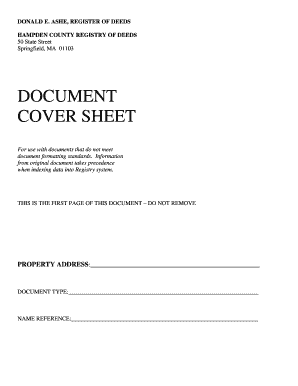
- Begin by entering the property address in the designated field. This should reflect the full street address, including any apartment or unit numbers.
- Next, indicate the document type by selecting or entering the appropriate classification based on the nature of the document being submitted. Ensure that this aligns with the document's content.
- In the name reference field, provide the names of all parties involved in the transaction or referenced in the document. This is critical for proper indexing.
- Review all the information entered to ensure accuracy. Each field should be completed as instructed to avoid issues with processing.
- Once you have filled out all required fields, you can save changes to the form. After saving, options will typically be available for downloading, printing, or sharing the completed document.
Complete your documents online with confidence and efficiency.
In Massachusetts, you can get a copy of your house deed by requesting it from the Hampden County Registry Of Deeds. You can do this online or by visiting their office directly. It's important to have specific details about your property, such as the address or parcel number, to facilitate your request. UsLegalForms is also a useful platform that can guide you through the steps to secure your deed efficiently.