Loading
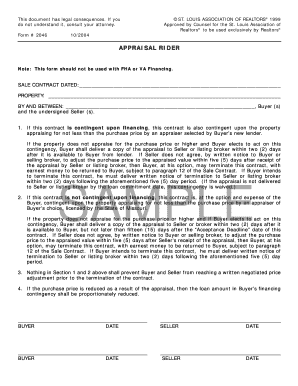
Get Appraisal Rider Form 2046
How it works
-

Open form follow the instructions
-

Easily sign the form with your finger
-

Send filled & signed form or save
How to fill out the Appraisal Rider Form 2046 online
Filling out the Appraisal Rider Form 2046 is an essential step for buyers and sellers in real estate transactions. This guide will walk you through the process of completing the form online with ease and clarity.
Follow the steps to complete the Appraisal Rider Form 2046 online.
- Click ‘Get Form’ button to access the form and open it in the editor.
- Begin by entering the sale contract date in the designated field. This refers to the date the sale contract is executed.
- Next, provide the property address in the appropriate section, ensuring accuracy to avoid any confusion.
- In the next field, specify the names of the buyer(s) and seller(s) involved in the transaction. Use neutral language to represent all parties.
- Review and complete Section 1 or Section 2, depending on whether the contract is contingent upon financing. Ensure to highlight the conditions regarding appraisal requirements.
- Fill in the signature fields for both buyers and sellers. Each party must sign and date the form to validate the agreement.
- After completing the form, review all entries for accuracy. Make necessary corrections before finalizing.
- Save your changes, and then download or print the completed form. You may also share it as needed for further processing.
Take action and complete your Appraisal Rider Form 2046 online today!
In real estate, a rider is an additional document attached to a main agreement that includes specific conditions or changes. Riders can clarify elements not fully covered by the initial contract. The Appraisal Rider Form 2046 is one such example, outlining terms related to appraisals and addressing how discrepancies will be handled. Riders ensure that all parties have a clear understanding of their obligations and rights.