Loading
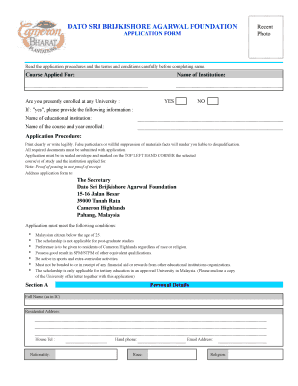
Get Application Form Dato Sri Brijkishore Agarwal Foundation.xls
How it works
-

Open form follow the instructions
-

Easily sign the form with your finger
-

Send filled & signed form or save
How to fill out the Application Form Dato Sri Brijkishore Agarwal Foundation.xls online
This guide provides comprehensive instructions on how to effectively complete the Application Form Dato Sri Brijkishore Agarwal Foundation.xls online. By following these steps, you will ensure that your application is filled out accurately and completely.
Follow the steps to successfully complete the application form.
- Click the ‘Get Form’ button to acquire the application form and open it in your online editor.
- Begin filling out Section A: Personal Details. Provide your full name as it appears on your identification card, residential address, contact details including phone numbers and email address, nationality, race, and religion. Additionally, upload a recent photo.
- Continue to Section B: Education Qualifications. Here, list your examination results. Include the name and address of your school, year of examination, and the subjects along with their respective grades.
- If applicable, complete the Other Qualifications / Awards section of Section B by providing details of any additional examinations or awards you have received.
- In Section C, fill in your Work Experience, if any. Include your employer's name and address, your designation, and the period you worked there.
- Next, detail any medical conditions in Section D. Clearly state your current health situation and provide information regarding any illnesses or disabilities.
- Proceed to Section E where you outline your Extra-Curricular Activities and your reasons for applying. You will need to use a separate document for this part.
- In Section F, provide information about your Family Background. List details for your parents or guardians, including names, ages, addresses, occupations, and contact numbers, as well as any business details if self-employed.
- Fill out the Referees section in Section G by giving the names, addresses, and occupations of two referees who are not related to you.
- Finally, carefully read and complete the Declaration by Applicant. Sign the form, and ensure that you include your IC number and date.
- Attach required documents such as your Identity Card, academic qualifications, testimonials, university offer letter, and birth certificate. Double-check for completeness.
- Once you have filled out all sections and attached the necessary documents, save your changes, then you can download, print, or share the form as needed.
Complete your application form online today and take the next step towards your educational goals!