Loading
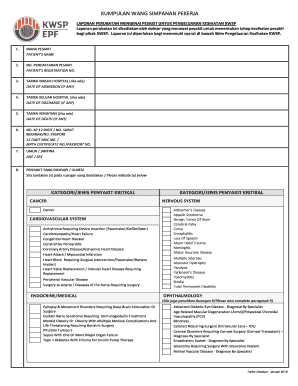
Get Laporan Perubatan Ini Disediakan Oleh Doktor Yang Merawat Pesakit Untuk Menentukan Tahap Kesihatan
How it works
-

Open form follow the instructions
-

Easily sign the form with your finger
-

Send filled & signed form or save
How to fill out the Laporan Perubatan Ini Disediakan Oleh Doktor Yang Merawat Pesakit Untuk Menentukan Tahap Kesihatan online
This guide provides clear instructions for completing the Laporan Perubatan Ini Disediakan Oleh Doktor Yang Merawat Pesakit Untuk Menentukan Tahap Kesihatan online. Filling out this medical report correctly is essential for assessing the health status of individuals as required by KWSP.
Follow the steps to complete your medical report accurately.
- Click the ‘Get Form’ button to access the medical report form and open it in the document editor.
- Enter the patient's name in the field labeled 'NAMA PESAKIT'. Ensure the name is spelled correctly.
- Fill in the 'NO. PENDAFTARAN PESAKIT' field with the patient's registration number.
- If applicable, mark the 'TARIKH MASUK HOSPITAL' with the date of admission.
- If the patient has been discharged, complete the 'TARIKH KELUAR HOSPITAL' field.
- If relevant, input the 'TARIKH KEMATIAN' to record the date of death.
- Provide the 12-digit NRIC number or the relevant identification number in the 'NO. KP 12 DIGIT / NO. SURAT BERANAK/NO. PASPORT' field.
- Indicate the patient's age and sex in the 'UMUR / JANTINA' section.
- In the 'PENYAKIT YANG DIHIDAPI / ILLNESS' section, check the relevant medical conditions of the patient as listed.
- If the illness involves ophthalmology, complete section 9 with details about vision levels and other related investigations.
- In section 10, provide additional details regarding the illness as requested.
- Indicate the implications of not treating the illness immediately in section 11.
- Specify if the patient suffers from chronic or critical illnesses in section 12.
- Record any other illnesses in section 13.
- Describe the type of treatment required in section 14.
- Determine if any medical support equipment is needed and indicate this in section 15.
- If there has been surgery, record this information in section 16.
- Complete section 17 only if applicable, providing estimated costs for treatment and medical support equipment required.
- Finally, the doctor will certify that the information provided is accurate by signing in the designated area.
- Users can now save their changes, download or print the completed form.
Start completing your medical report online today for a smoother submission process.
Industry-leading security and compliance
US Legal Forms protects your data by complying with industry-specific security standards.
-
In businnes since 199725+ years providing professional legal documents.
-
Accredited businessGuarantees that a business meets BBB accreditation standards in the US and Canada.
-
Secured by BraintreeValidated Level 1 PCI DSS compliant payment gateway that accepts most major credit and debit card brands from across the globe.