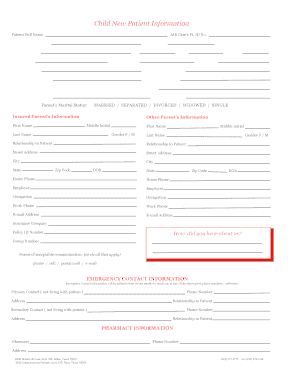
Get Air Care Child New Patient Information
How it works
-

Open form follow the instructions
-

Easily sign the form with your finger
-

Send filled & signed form or save
How to fill out the AIR Care Child New Patient Information online
Completing the AIR Care Child New Patient Information form online is an essential step in ensuring efficient and accurate healthcare for your child. This guide provides easy-to-follow instructions for each section of the form, making the process straightforward and user-friendly.
Follow the steps to successfully complete the form online:
- Press the 'Get Form' button to access the AIR Care Child New Patient Information form and open it for editing.
- Begin by entering the full name of the patient and their preferred name in the designated fields.
- Provide the patient's date of birth and mailing address, ensuring to include the city, state, and zip code.
- Indicate the patient's gender by selecting the appropriate option (M or F) and provide the home phone and alternate phone numbers.
- Fill in details regarding the referring doctor and primary care physician, including names and contact numbers.
- Answer whether any family members have previously been seen by AIR Care, providing the name of the family member if applicable.
- Complete the section related to the child's school by entering the name and phone number of the child's school.
- Indicate the marital status of the parent or guardian, selecting from the options provided.
- For insured parent information, include the names, contact information, and occupations for both parents.
- Provide insurance information, including the company name and policy ID number.
- Complete the emergency contact information for primary and secondary contacts, including their names, phone numbers, and relationships to the patient.
- Fill in pharmacy details for the local pharmacy that will be used for prescriptions, including the name, address, and phone number.
- Provide the child's medical history, including details on growth, immunizations, allergies, and any medications currently being taken.
- Review the consent sections for treatment and financial agreements, ensuring all necessary checks and signatures are completed.
- Once all information is entered and reviewed for accuracy, save changes, and choose to download, print, or share the form as needed.
Complete the AIR Care Child New Patient Information form online to ensure a smooth healthcare experience for your child.
To schedule an appointment for a patient, you will need their name, contact information, and the nature of their visit. It's also essential to confirm their insurance details and any medications they are currently taking. Collecting this information safeguards against scheduling conflicts and ensures that the patient's needs are met during the appointment. Utilizing an efficient platform like uslegalforms can assist in managing this information seamlessly.